
Videos are no longer just passive content. For learning, training, customer support, internal knowledge sharing, and more, adding interaction & AI into video makes content far more engaging, memorable, and effective. Dadan’s interactive video turns viewers into participants, helps anchor learning, and improves retention.
This document outlines how to utilize these features, what AI tools dadan provides, and how to integrate them for effective communication and teaching.
Why interactivity & AI matters #
Traditional video often leaves viewers as passive watchers. By adding interactivity and AI, you turn video into a two-way experience that keeps people engaged, improves clarity, and ensures knowledge actually sticks. This section explains the key benefits.
| Benefit | Why It’s Important |
|---|---|
| Engagement | Interactive elements (quizzes, polls, feedback) keep people active rather than zoning out. |
| Clarity & Retention | AI-summaries, transcripts, and chaptering let learners revisit exactly what they need and reinforce learning. |
| Scalability | Once you create interactive content, it serves multiple learners without requiring the same live sessions to be repeated. |
| Accessibility & Searchability | AI transcription & tags & metadata make content easier to find and understand for all learners. |
Dadan AI & interactive features: what’s available #
Here are the main AI and interaction tools dadan offers, with what they do, when to use them, and tips.
| Feature | What It Does | Best Use Cases / When to Apply |
|---|---|---|
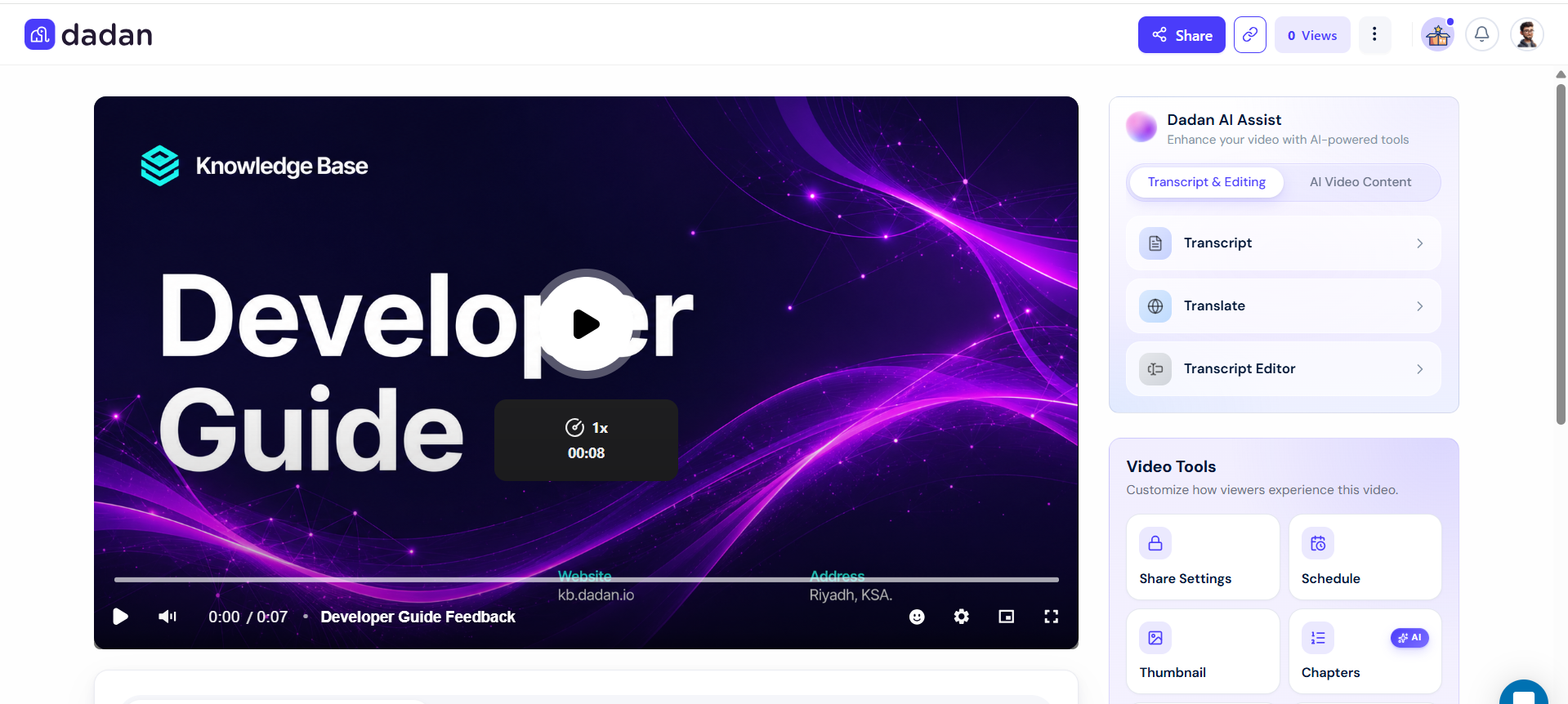
| AI Assistant | A suite of tools to auto-generate transcripts, titles, descriptions, tags, summaries, chapters, interactions, meeting notes, etc. | Use right after recording or uploading a video, to optimize metadata and structure before sharing widely. |
| AI Meeting Notes & Summarizer | Automatically generate structured notes from video meetings using templates. | Use for trainings, teaching sessions, internal meetings. Helps people who missed the session to catch up quickly. |
| AI Transcription | Converts spoken content in videos into searchable, editable text. High accuracy. | For all videos where the content is important and needs to be reused. Also useful for generating captions/subtitles. |
| AI Video Title / Description / Tags Generator | Generates SEO-friendly titles, descriptions, and tags based on video content/transcript. | Helps with discoverability, both inside dadan and when sharing externally. Useful for content creators, educators, and support content. |
| Chapters (AI-Generated) | Automatically split longer videos into meaningful sections and chapters, so viewers can easily jump to the content they need. | Good for long tutorials, multi-topic lectures, product walkthroughs. |
| AI Summary | A short summary of key points, often generated from transcript & chapter info. | For learners or viewers who want a quick overview before (or after) watching. |
| AI Video Note Taker & Templates | Generate notes automatically using templates for meeting types (sales call, HR, training, etc.). | Helps standardize output, reduce manual note-taking; good for education, team meetings, project reviews. |
| Interactive Elements | Quizzes, polls, open-ended questions, true/false questions, feedback ratings, calls-to-action embedded in video. | Use throughout video to test understanding, invite reflection, gather feedback, or collect leads. |
How to create an interactive video workflow in dadan #
Here’s a step-by-step workflow to design & publish an interactive video that leverages dadan’s AI & interaction features.
- Plan your video content:
- Decide on the learning objective/message.
- Outline the topics. If long, break into sections.
- Use AI Assistant tools:
- Generate transcript. Review and correct if necessary.
- Create auto-titles, tags, description. Ensure title is clear and tags are relevant.
- Add chapters so video has natural breakpoints.
- Add Interactions:
- Choose where to place quizzes, polls, or questions. E.g., at the ends of segments.
- Use true/false or open-ended questions to check understanding.
- Add feedback or rating interactions so viewers can tell you whether sections were clear.
- Generate meeting notes / Summary:
- Use one of the AI Note Taker & templates (e.g., training, HR, lesson).
- Extract key decisions, next steps, and FAQ items.
- Publish & Share:
- Put in the relevant Team Space. Tag appropriately.
- Share with learners or team; embed in KB or LMS if you have one.
- Review performance & update:
- Check engagement: do people use the interactive parts? Are some chapters skipped?
- Use feedback ratings/comments.
- Update content (edit video, correct transcript, revise interactions).
Best practices & tips #
Building interactive videos isn’t just about adding features; it’s about using them wisely. These best practices will help you design content that feels smooth, engaging, and genuinely useful for your audience.
- Keep interactive parts short and relevant: Avoid overloading the video with too many quizzes or polls.
- Use good UX order: Place quizzes or interactive questions soon after the concept you want to test.
- Be clear in instructions: Tell viewers that they will be asked to answer something at a certain point.
- Name metadata clearly: Titles and tags help with internal search, reuse, and discoverability.
- Use templates for consistency: Whether for summaries, note taker templates, or questions.
- Monitor analytics & feedback: You’ll learn which videos are effective, where people drop off, and what interactions contribute to retention.
Example use case: education module #
Imagine a teacher preparing a module on how to use dadan AI Assist for students:
- Record lectures covering AI Assist features.
- Use AI Assist to produce a transcript and add tags such as AI tools, video chaptering, etc.
- Split into chapters: Transcription & Metadata, Interactive Quizzes, Summary & Notes.
- Embed a quiz after the Transcription & Metadata section: Which dadan feature helps create searchable text?
- Use an open-ended question at the end; what challenges might you face with auto-generated chapters? to capture student thinking.
- Generate summary & meeting notes for students to download.
Result: Students feel engaged; the teacher spends less time repeating; the module remains useful for future cohorts.
Key takeaways #
If you remember one thing from this guide, it’s that interactive AI-powered video is more than a trend; it’s a smarter way to learn, teach, and communicate. Here are the essential points to carry forward:
- Interactive video & AI are not nice extras, they’re becoming essential for modern learning, training, and communication.
- Dadan provides a rich set of tools (captions, transcripts, and interactions) that enable you to build videos that both teach and engage.
- Well-structured interactive video content scales better, reduces repetitive explanations, and improves retention.
- Start small (with one video), then apply the lessons to more content. Over time, your library becomes a strong, lasting resource.


