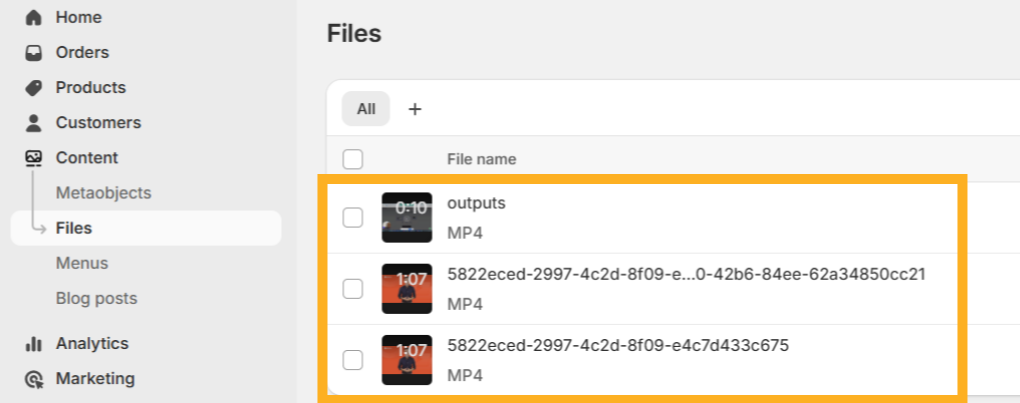
Want to showcase your dadan videos on your Shopify store? It’s simple. This guide will walk you through how to upload a video from dadan directly to your Shopify content library and how to confirm it’s been added successfully.
- Note: Haven’t connected dadan with Shopify yet? Follow the How to integrate dadan with Shopify guide first to set things up.
How to upload video to Shopify from dadan #
To upload video to Shopify from dadan, follow these steps:
- Open the video you want to upload.
- Click Share at the top right of the video player.
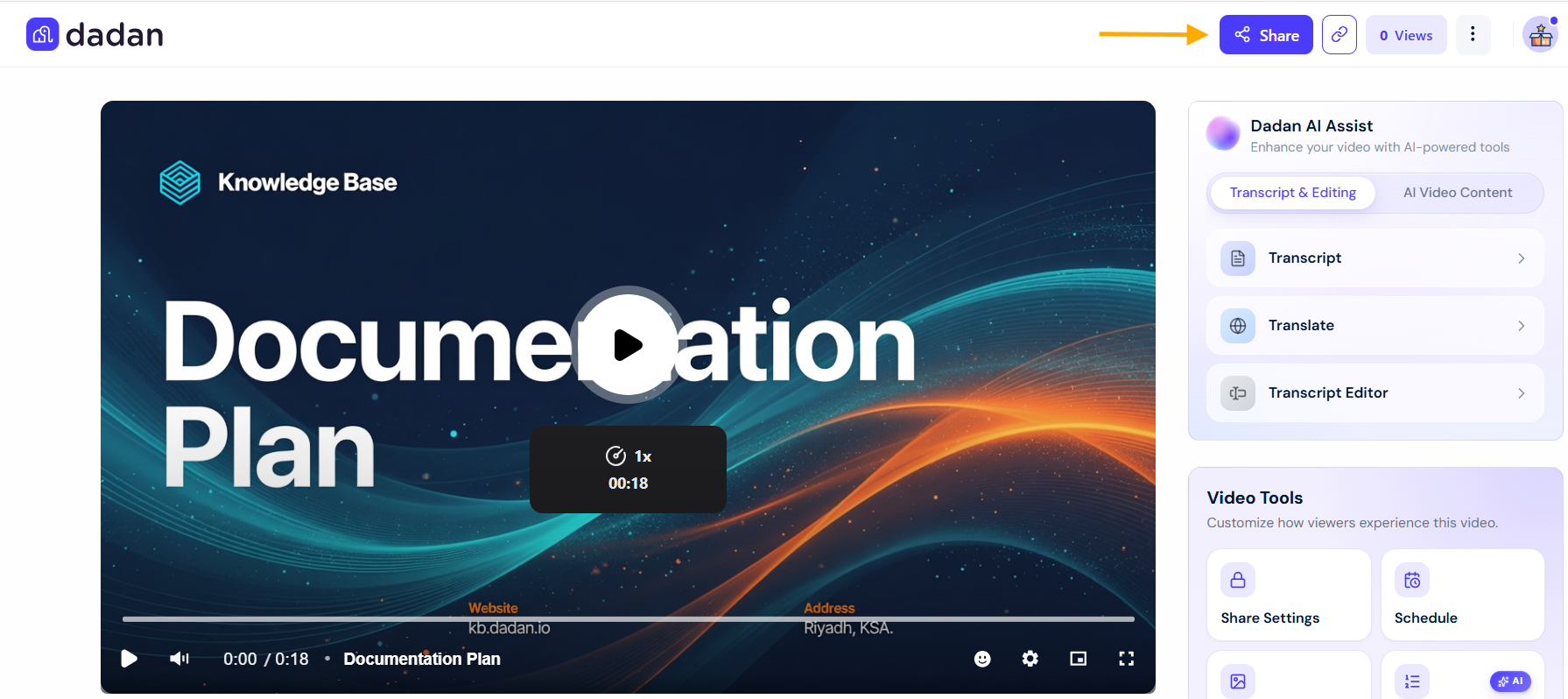
- In the Share Your Video pop-up, select the Publish tab.
- Choose Shopify from the list of platforms.
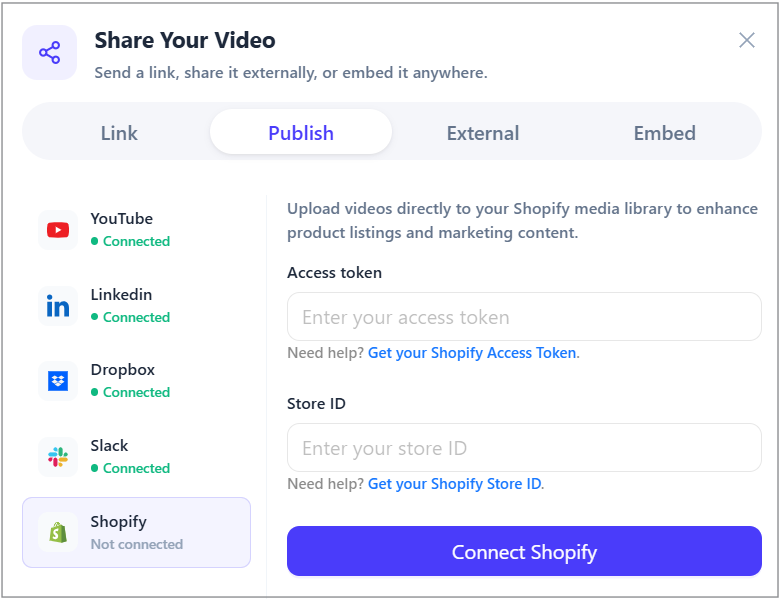
- Enter the Access token and Store ID, and click Connect Shopify.
- Click Upload to Shopify Store Library to publish the video.
Once uploaded, a confirmation message will appear: “You’re all set!”
Verify your dadan video in Shopify #
To verify your dadan video in Shopify:
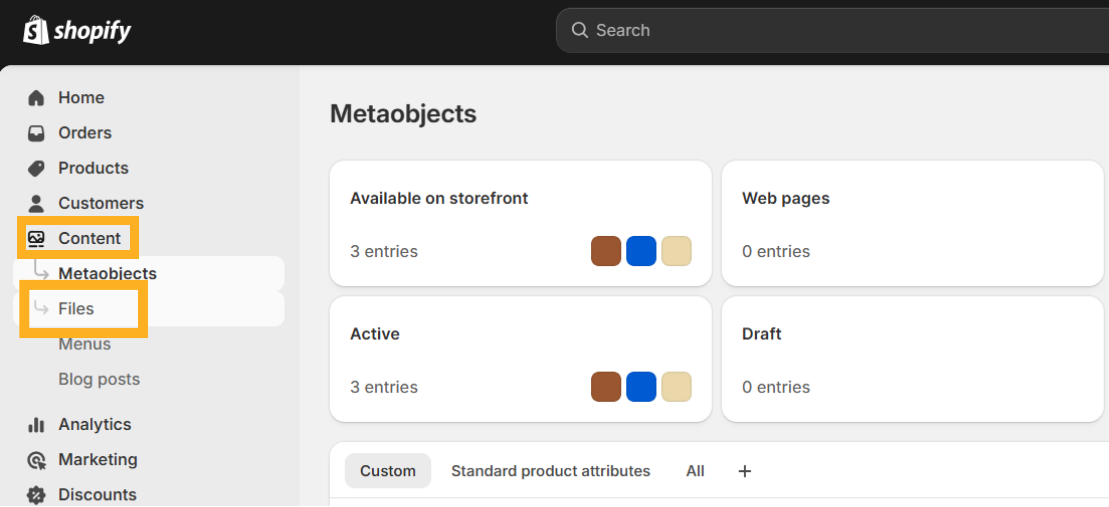
- In your Shopify account homepage, go to the Content section from the left sidebar.
- Select Files under the Content menu to view uploaded media.
- Check the list to confirm that your dadan video(s) have been successfully uploaded and are available for use in your Shopify store.