
Daily stand-ups and routine check-ins often consume productive hours without always necessitating live discussion. With dadan, you can record short, asynchronous updates instead of holding daily meetings.
Teammates can share progress, blockers, and next steps through video, while still keeping one weekly live meeting for deeper conversations and team alignment. This balance reduces meeting fatigue, saves time, and ensures precise and documented communication.
What are async video updates? #
Video async updates are short, recorded messages that replace live check-ins or daily standups. Instead of gathering everyone at the same time, each teammate records a quick update covering their progress, blockers, and next steps.
With dadan, these async video updates become even more powerful:
- AI summaries let teammates scan key points instantly.
- Auto-chapters organize longer updates into sections.
- Comments and reactions keep the conversation interactive without a meeting.
Async updates give teams the flexibility to stay aligned without interrupting focused work.
Why replace status meetings with video async updates? #
Dadan async videos can:
- Save time: No need to align calendars or gather the whole team.
- Stay focused: Updates are shorter and more structured than live discussions.
- Boost clarity: Each update is recorded, transcribed, and easily revisitable for later reference.
- Enable flexibility: Team members can watch when it fits their schedule, even across time zones.
| Traditional meeting type | Meeting goal | Async solution in dadan |
|---|---|---|
| Daily standup | Share quick progress updates, blockers, and next steps. | Record short video updates (2–3 min). Use AI summaries and chapters to highlight blockers. Store them in a Team Space for easy tracking. |
| Weekly status meeting | Update stakeholders and answer questions. | Record a structured update with screen share. Enable comments and video replies so questions are handled async. Hold one short live meeting for deep discussion. |
| General announcements | Share news that doesn’t require live discussion. | Publish an announcement video. Add transcript captions for accessibility and share them with the whole company via link or embed. |
| Training / onboarding sessions | Teach processes or tools to new hires. | Replace repeated sessions with an on-demand video library. Add AI-powered search and interactive quizzes to keep learners engaged. |
| One-on-one check-ins | Stay aligned with a teammate or manager. | Exchange async video check-ins. Use reaction emojis or comments for feedback. Keep a weekly live 1:1 for sensitive topics. |
How to record async updates in dadan #
To start your journey with dadan:
- Start a recording:
- Open dadan in your browser or desktop app.
- Select a recording mode: screen only, camera only, or both.
- Click Start Recording.
- Share your update:
- Keep it concise, highlight key achievements, blockers, and next steps.
- Use screen share if you want to show project dashboards or slides.
- Use AI to enhance your message:
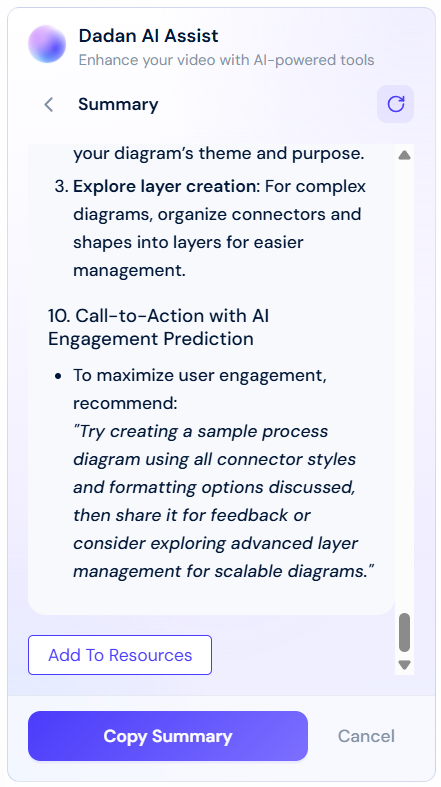
- Generate an AI summary so teammates can grasp your update quickly.
- Add auto-chapters to break long updates into sections.
- Enable transcript captions for accessibility.
- Share:
- Share the video link in your project channel (Slack, Teams, or email).
- Control access with permissions, private to your team or public.
Organize updates in a team space #
For recurring updates, use a Team Space in dadan to keep everything structured and accessible:
- Create a dedicated space for your project, department, or sprint updates.
- Invite all relevant team members to the space so everyone can post and access recordings.
- Organize by folders or tags (e.g., “Week 1 Updates,” “Sprint 24”) to make tracking progress easier.
- Use intelligent search and AI summaries across the space, so teammates can quickly find past updates without rewatching videos.
Using a Team Space ensures updates don’t get lost in chat threads or emails, and your team builds a central, searchable archive of progress.
Best practices for async updates #
To get the most from dadan:
- Keep recordings between 2–5 minutes.
- Use a consistent format: progress → blockers → next steps.
- Encourage teammates to reply with time-incored comments, reactions, or their own short updates.
- Organize updates in a shared folder so your team builds a searchable archive of progress.
- Adopt a balanced rhythm: replace daily stand-ups or routine check-ins with short asynchronous recordings, but maintain one weekly live meeting for open discussion, problem-solving, and team alignment.
Example: From meeting to async workflow #
Instead of a 30-minute weekly check-in:
- Each teammate records a short update in dadan.
- AI generates summaries and highlights blockers.
- The manager reviews updates in 10 minutes and leaves comments directly in the videos.
Result: The team gains back hours every week while keeping communication transparent.
💡 Tip: Try replacing just one recurring meeting first. Once your team sees the time saved, consider expanding async video updates to other types of check-ins, such as sprint reviews or project handovers.


