
When you join essential meetings, such as requirement discussions, product reviews, or technical workshops, it’s easy to lose track of details. Rewatching recordings multiple times can be time-consuming and distracting from your real work.
Dadan helps you record meetings and then quickly extract what matters through its AI Assist features, so you can focus on understanding, analyzing, and writing, not on replaying.
Why record with dadan? #
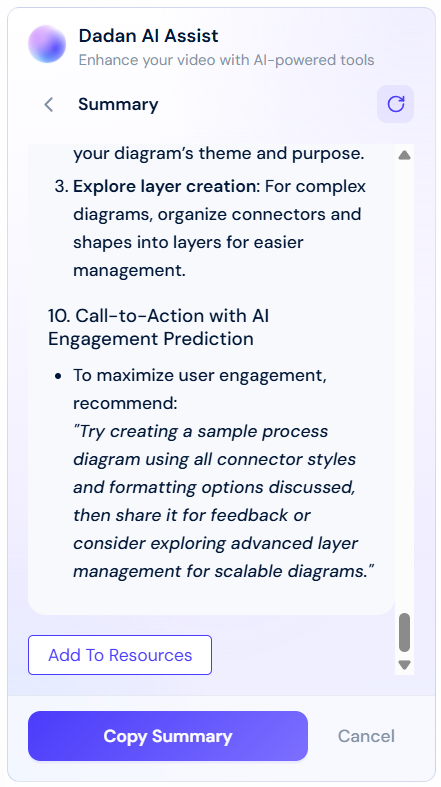
Recording a meeting with dadan goes beyond simply capturing audio and video. Dadan’s AI Assist makes it possible to:
- Summarize discussions: Generate clear, structured summaries that highlight key points.
- Highlight decisions and action items: Extract outcomes and next steps without scanning the entire recording.
- Search and revisit quickly: Use transcript search to jump directly to the parts of the meeting you need.
- Support collaboration: Share the summarized content with colleagues who didn’t attend, keeping everyone aligned.
Practical examples #
To see how this works in real-world situations, here are a few examples of professionals who benefit from dadan:
- Business analysts: Often participate in requirement-gathering sessions with stakeholders. Instead of manually re-listening to identify every requirement, they can rely on dadan’s AI Assist to highlight user needs, constraints, and agreed-upon actions. This saves time and reduces the risk of missing details when drafting requirement documents.
- Technical writers: Frequently join technical design or walkthrough meetings. Instead of re-creating the entire conversation when preparing user guides, documentation, or release notes, they can extract structured explanations, terminology, and step-by-step workflows directly from the AI-generated summary. This helps them save time and focus on documentation clarity and accuracy rather than transcription.
- Product managers and project leads: Use dadan to keep track of cross-functional discussions. For them, AI summaries provide a quick way to review decisions, track feature priorities, and ensure follow-up items are captured.
- Engineers and designers: Benefit from quickly revisiting technical or design choices without reviewing hours of recorded material. The ability to search within the transcript helps them confirm specific details, such as API changes, interface decisions, or timeline adjustments.
How to use dadan in your meetings #
- Join your meeting with dadan:
- Schedule your external meeting in dadan calendar.
- Or prepare the dadan meeting bot to attend your meeting.
- Start or join your external meeting as usual.
- Approve the dadan Notetaker bot when it requests to join; it will appear as a participant.
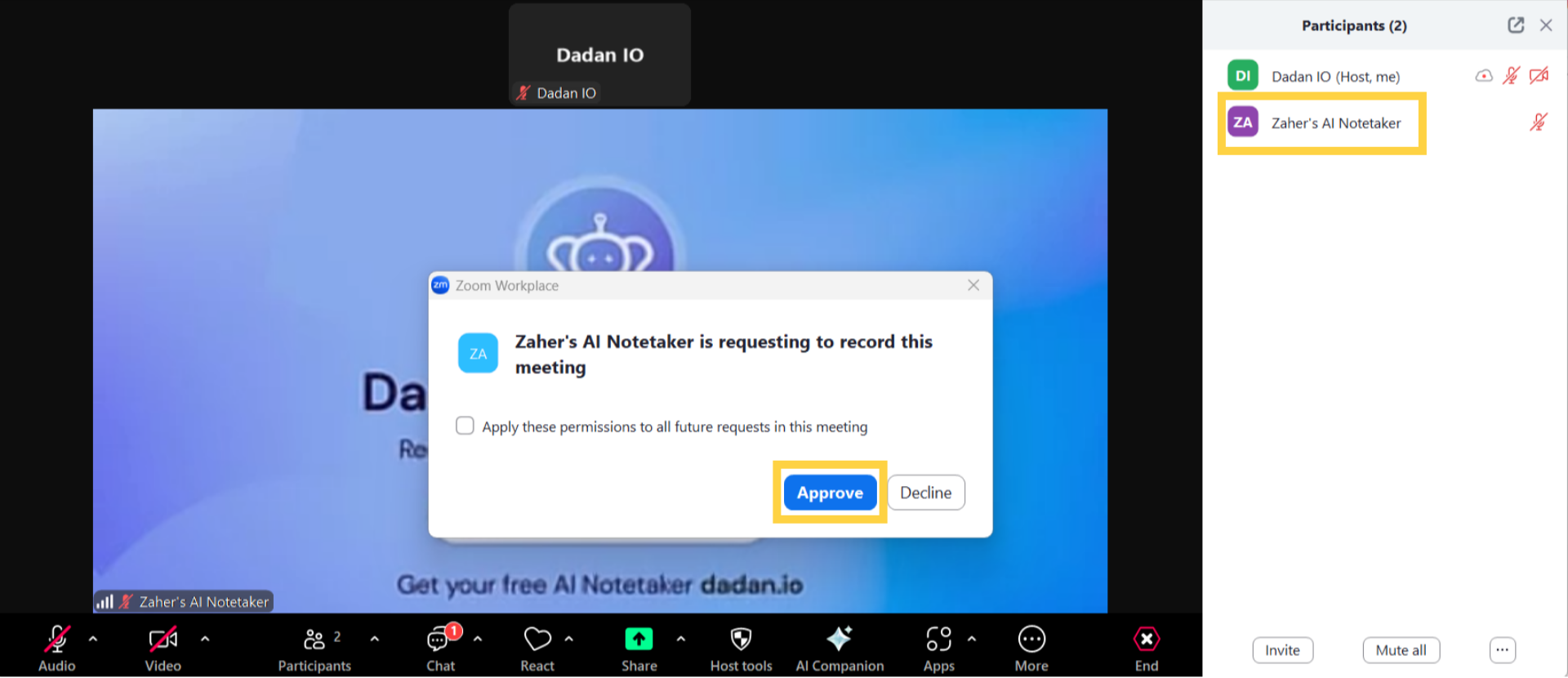
Note: You can also record your meeting manually using quick dadan recording or usual dadan screen recording.
- Record with context:
- Allow dadan to capture audio, video, and screen sharing.
- Encourage participants to speak clearly to improve the accuracy of transcripts and summaries.
- Access AI Assist features after the meeting:
- Access and review recorded meetings.
- Review the automatically generated summary, highlights, and action items.
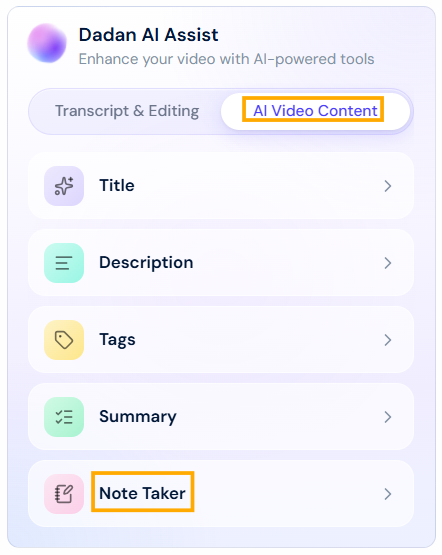
- For advanced cases, use dadan AI video note taker to extract smart notes from your meetings.
- Use the intelligent search function to find specific points by keyword.
- Share or reuse the insights:
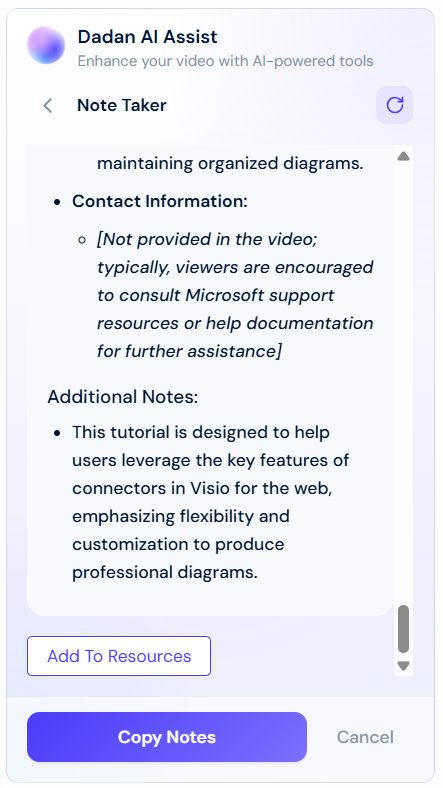
- Copy and paste the AI summary or smart notes to share them with your team.
- Use the extracted details directly in your requirement documents, technical guides, project notes, or meeting minutes.
A better way to work #
With dadan, you no longer need to spend hours rewatching recordings or worrying about missing critical information. Whether you’re analyzing requirements, writing documentation, managing projects, or developing products, dadan helps you capture, extract, and apply knowledge from every meeting.


