
Dadan is a simple, all-in-one tool for recording, hosting, sharing, and managing videos at work. It helps teams replace long emails, unclear instructions, and unnecessary meetings with short, clear video messages.
With dadan, you can quickly capture your screen, camera, or both, then instantly share the video with a link. Viewers can watch on any device, leave comments, or even send a video response back.
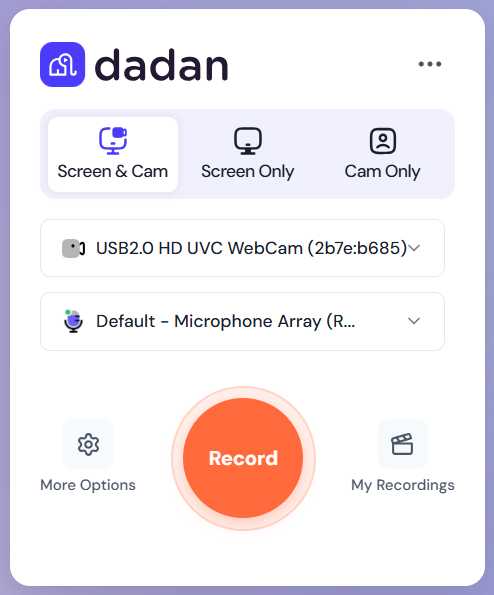
How dadan is different #
Unlike traditional screen recorders, dadan is built for collaboration. It’s not just about recording; it’s about video hosting and making communication easier. Instead of downloading and attaching video files in an email, you send a link. Instead of one-way communication, dadan makes it simple for others to respond and interact.
Common ways to use dadan #
Dadan fits into different workflows, from internal communication to customer-facing tasks:
- Onboarding & training: Give new hires a library of short video explainers.
- Customer support: Record answers that are faster and clearer than email.
- Project updates: Share progress with your team without scheduling another call.
- Education: Explain lessons or answer student questions on demand.
Why teams use dadan #
Teams choose dadan because it makes everyday communication faster and clearer:
- Clarity at work: Show instead of telling by recording a quick walkthrough or explaining a process in your own voice.
- Save time: Replace repetitive explanations with one reusable video.
- Engage your audience: Let viewers comment, react, or reply with their own video or text.
- Secure sharing: Control who can view or interact with your video.
- Analytics: Track who watched your video, how many times, and how they engaged.
Dadan extension and desktop app #
You can record with dadan using either the browser extension or the desktop app. Each option has unique strengths:
Extension (Chrome/Edge) #
The browser extension is lightweight and quick to set up:
- Lightweight & instant: Record directly from your browser without installing heavy software.
- Modes: Choose from screen only, camera only, or both simultaneously.
- Recording bar: Pause, resume, or stop your recording anytime, and expand the bar for more options.
- Easy sharing: Your video uploads automatically and generates a shareable link.
- Record bar annotations: While recording, use the toolbar to highlight your screen with arrows, shapes, or text. These live annotations help you emphasize key details without needing post-editing.
- Works anywhere: Record on any website, app, or tab you’re working on.
Desktop app (Windows & macOS) #
The desktop app is more powerful and designed for longer or advanced recordings:
- Full-screen recording: Capture your entire desktop, specific apps, or custom regions.
- Better performance: Ideal for longer recordings or when you don’t want to rely on the browser.
- 4K recording: Capture videos in up to 4K resolution for crisp, professional-quality output.
- Offline support: Record without internet and upload later when you reconnect.
- System audio: Include sound from your device, such as a video or presentation.
Dadan online platform #
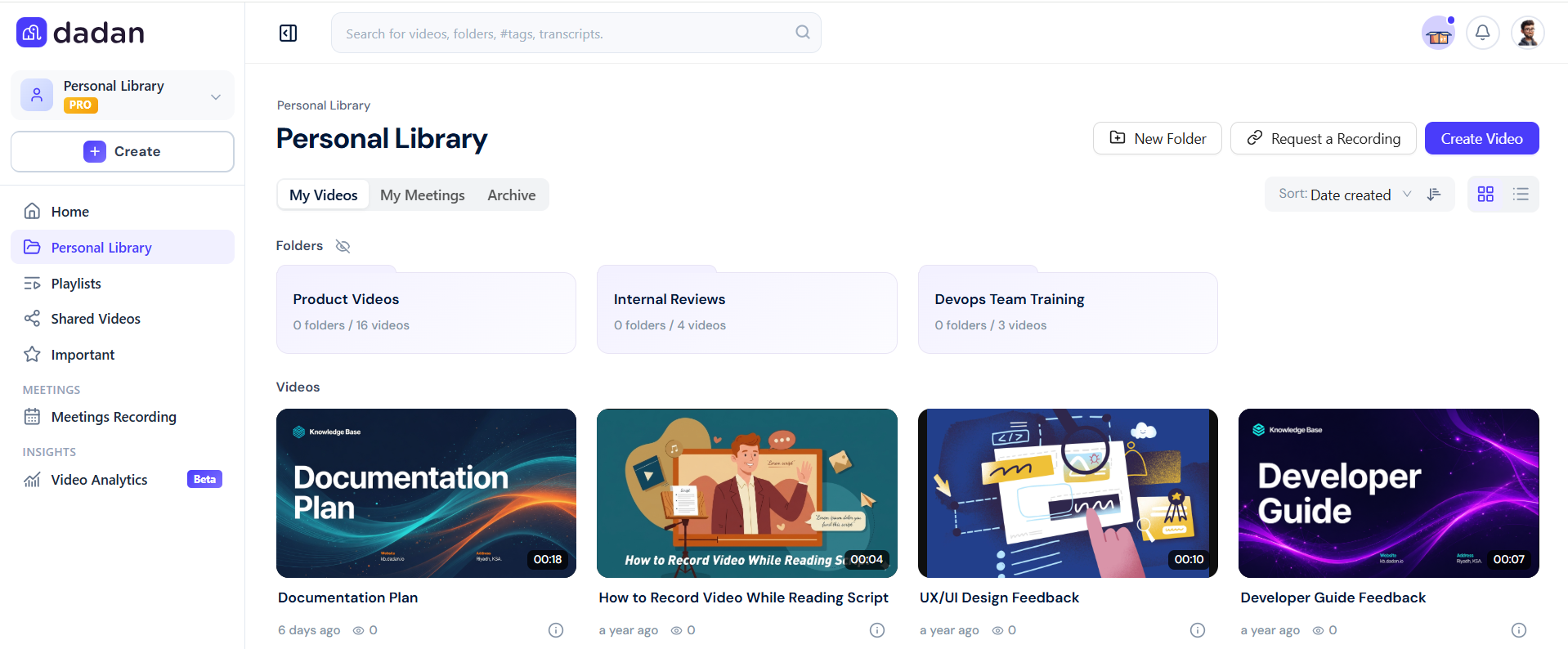
After recording, the web app is where you manage your videos and collaborate with others:
- Video library: Access all your recordings in one place, organized by date or folders.
- Viewer engagement: See who watched, how many times, and whether they clicked your CTAs.
- Comments & replies: Viewers can leave time-stamped comments, emojis, or even video/text replies.
- Editing tools: Trim, rename, and update video details without leaving the browser.
- AI Assistant: Automatically generate transcriptions, metadata (titles, tags, descriptions), chapters, summaries, translations, and meeting notes.
- AI interactions: Use built-in AI tools to auto-generate transcriptions, create video chapters, suggest titles and tags, translate subtitles, and summarize key points.
- Sharing controls: Adjust privacy, set passwords, or restrict access to your team.
- Integrations: Connect dadan with email marketing and CRM tools like HubSpot, Mailchimp, and ActiveCampaign to push video leads and automate campaigns.
- Request video: Let others request a video from you or set up a form where they can respond by text, audio, or video.


