
With the Dadan plugin for WordPress, you can put any Dadan video on a page or post with a block, a shortcode or an Elementor widget. Visitors watch it in the Dadan player without leaving your site.
You need the Dadan plugin installed and active. Embedding does not use the App ID, so you can skip the connection steps if you only show videos. Video embeds need a Dadan Lite plan or above.
Copy the share link of your video
Link to section: Copy the share link of your videoThe plugin embeds videos from their share link, which looks like this:
https://app.dadan.io/video/share/GTwjoAelp8tkpAMbTo get it, open the video in Dadan, click Share and copy the link. How to share or embed your dadan videos shows each step.
The code at the end of the link, GTwjoAelp8tkpAMb in this example, also works on its own. A link that looks like https://app.dadan.io/video/ followed by a long ID, which is what you see in the address bar while editing a video, cannot be embedded. Use the share link instead.
Embed a video with the Dadan Video block
Link to section: Embed a video with the Dadan Video block- Edit the page or post and click + (Block Inserter) at the top left.
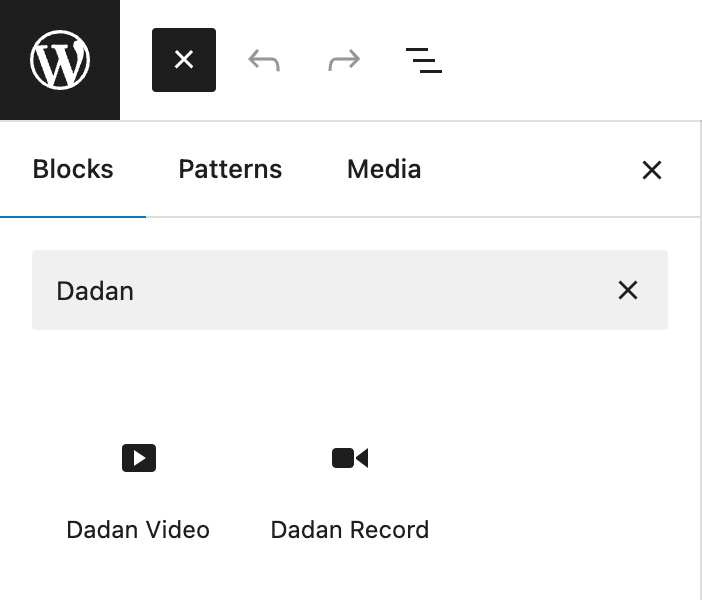
- Search for Dadan and choose Dadan Video.
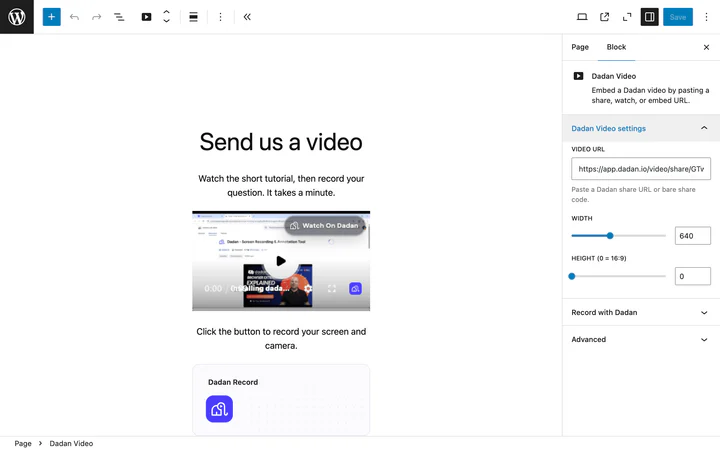
- Paste the share link into Video URL in the block settings on the right.
- Save or update the page.
The player appears in the editor as soon as the link is valid.
Set the size
Link to section: Set the size| Setting | Default | What it does |
|---|---|---|
| Width | 640 | The player width in pixels. On narrow screens the player shrinks to fit |
| Height | 0 | 0 keeps a 16:9 shape based on the width. Enter a number for a fixed height |
Leave Height at 0 for most videos. A fixed height can add black bars around the video.
Embed a video with a shortcode
Link to section: Embed a video with a shortcodeUse a shortcode in the classic editor, in a widget, or in a page builder that runs shortcodes:
[dadan url="https://app.dadan.io/video/share/GTwjoAelp8tkpAMb"]With a custom width, using the share code on its own:
[dadan url="GTwjoAelp8tkpAMb" width="800" height="0"]| Attribute | Required | Default | Notes |
|---|---|---|---|
url | Yes | The share link or the share code | |
width | No | 640 | A number of pixels or a CSS length |
height | No | 0 | 0 keeps 16:9 based on the width |
Embed a video with Elementor
Link to section: Embed a video with ElementorWhen Elementor 3.20 or later is active, the plugin adds a Dadan Video widget.
- Edit the page with Elementor and search for Dadan Video in the widget panel. It is in the General and Dadan groups.
- Drag the widget onto the page.
- Paste the share link into Share URL.
- Optionally set Width, Height (leave
0for 16:9) and an Iframe title for screen readers. - Click Publish or Update.
If the link is not a share link, the widget shows “Invalid Dadan URL” with a reminder to use the share link.
Paste a link in the classic editor
Link to section: Paste a link in the classic editorIn the classic editor, paste a Dadan share link on its own line. WordPress turns it into the Dadan player when the page is shown. In the block editor, use the Dadan Video block instead: it shows a preview and lets you set the size.
How the video looks on your site
Link to section: How the video looks on your siteThe player shows the video with its title, the play controls and a Watch On Dadan link. Visitors can play it full screen.
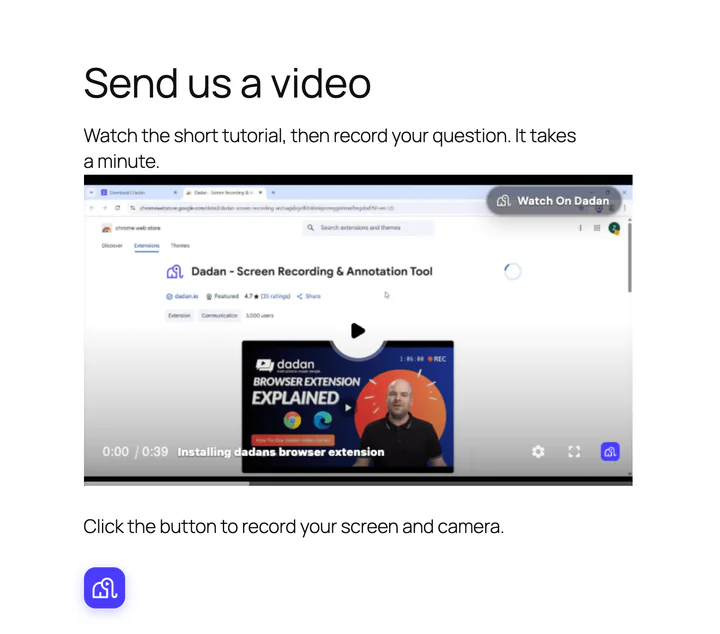
To let visitors answer with their own video, add a record button under the player. See Add a Dadan record button to WordPress.
If the video does not show
Link to section: If the video does not show| What you see | What to do |
|---|---|
| “Invalid Dadan URL” or an empty block | Use the share link, https://app.dadan.io/video/share/ followed by the code, not the link from the address bar while editing the video |
| The player says the video is unavailable | Check the video’s sharing settings in Dadan. See How to share or embed your dadan videos |
| The player area stays blank | A security plugin or a Content Security Policy may block frames from app.dadan.io. Allow that host for frames |
More fixes are in Dadan WordPress plugin troubleshooting.
Frequently asked questions
Link to section: Frequently asked questionsCan I embed a playlist?
Link to section: Can I embed a playlist?The plugin embeds single videos. To share a playlist, use the embed code from Dadan as described in Manage your playlists.
Does an embedded video slow down my page?
Link to section: Does an embedded video slow down my page?The player loads in a frame from app.dadan.io, so your page’s own code is not affected. Pages with several players load each one separately.
What does Dadan receive when someone watches?
Link to section: What does Dadan receive when someone watches?The visitor’s browser loads the player from Dadan and sends the share code with standard request data such as the IP address and the page address. The plugin itself sends nothing from your server. See Privacy and data.
))

))