
Dadan video platform leverages advanced AI technology to generate accurate transcriptions and insightful summaries from video content. This documentation provides an overview of dadan AI Assist features, guiding you through the tools that streamline your workflow and improve video accessibility.
Dadan AI Assist features #
Dadan AI Assist includes AI-powered tools that optimize your workflow by automating key tasks, saving time, and enhancing the quality and reach of your video content. These tools are also searchable in dadan, so you’ll never lose anything.
To use dadan AI Assist features, open the video playback screen after recording or access it from your Personal Library.
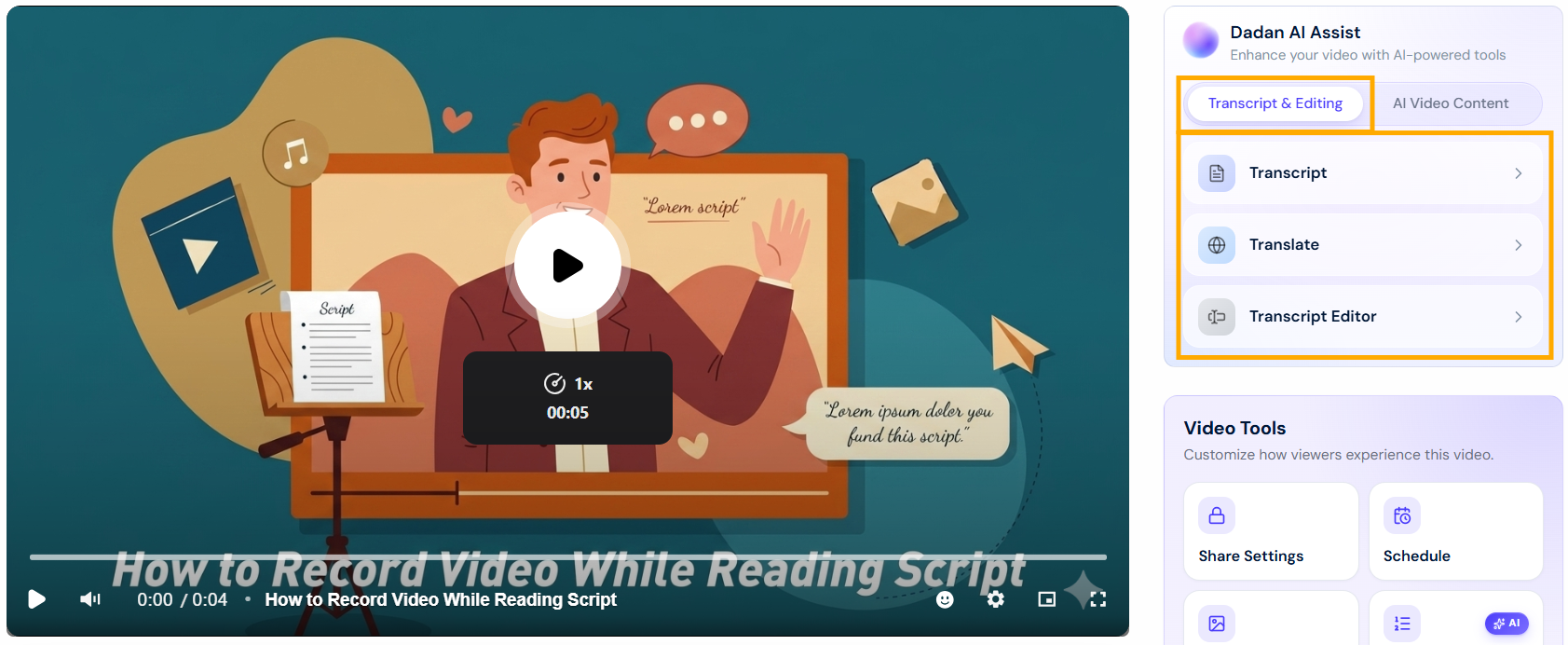
- Transcript & Editing tools:
- Transcript: Quickly convert your video audio into accurate text using AI Assist.
- Translate: Translate video subtitles into the most widely spoken languages.
- Transcript Editor: Streamline video editing through its intuitive transcript-based interface.
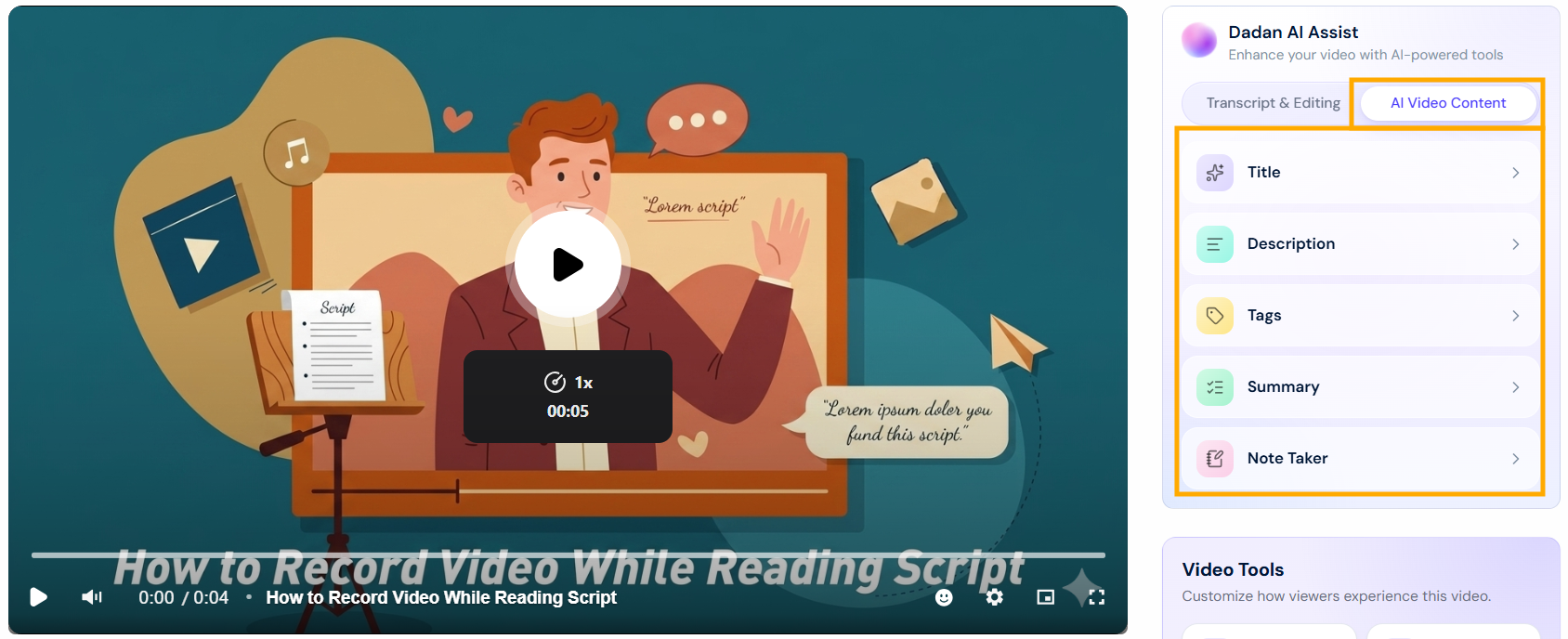
- AI Video Content tools:
- Title: Automatically generate an optimized and relevant title for your video.
- Description: Create a concise and informative description for your video.
- Tags: AI-powered tags to improve video discoverability and searchability.
- Summary: Create a concise summary of the video’s main points with AI Assist.
- Note Taker: AI-driven notes to summarize key moments and action items.
- Note: All AI Assist features rely on the video AI Transcript. You’ll need to generate the transcript first, as it provides the foundation for other tools like AI Titles and Summaries. Otherwise, these features will create the video AI Transcript before proceeding.


