
When setting up a custom sharing domain in dadan, you may encounter the term “CNAME record”. If you’re not familiar with domain management, this can sound technical and confusing. This guide explains what a CNAME is, why dadan uses it, and how it helps you deliver branded, secure video links.
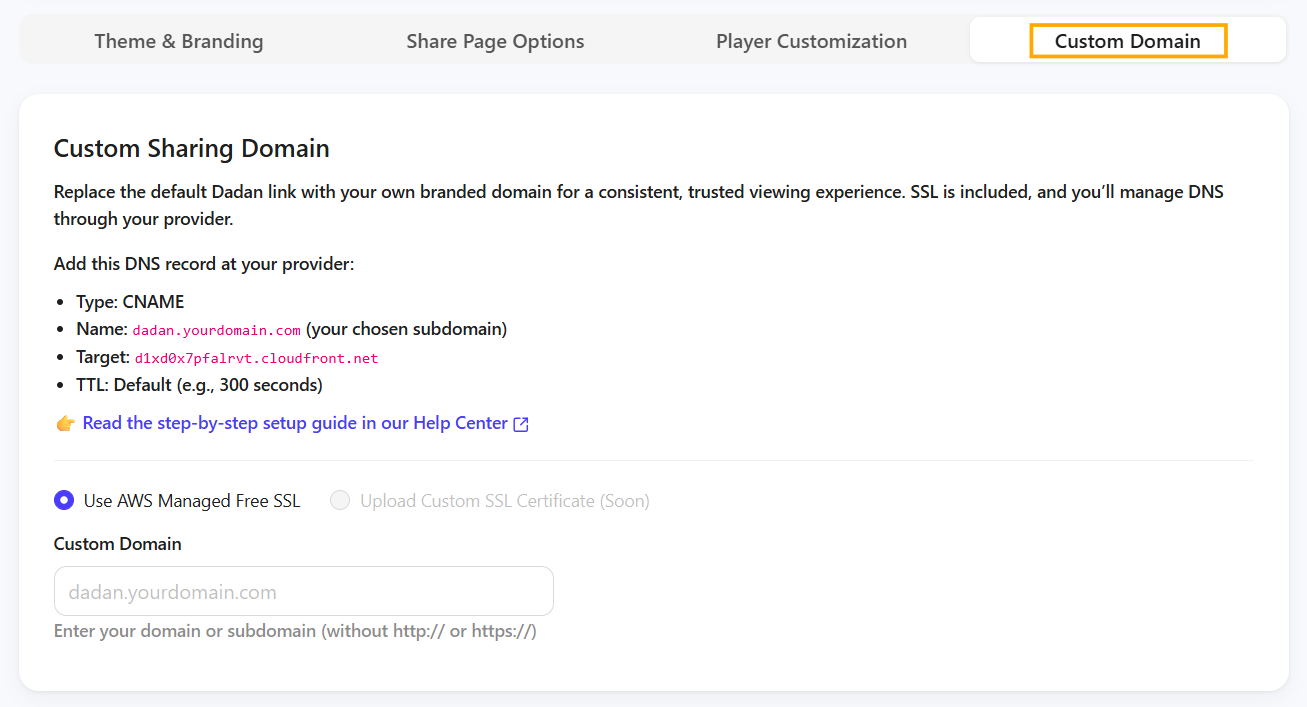
What is a CNAME record? #
A CNAME record (short for Canonical Name record) is a type of DNS entry that tells the internet:
👉 “This domain name is just another name for a different server.”
Instead of pointing directly to an IP address, a CNAME acts like an alias.
- Example:
videos.company.com(your chosen custom domain)- → points via CNAME to
edge.dadan.io(dadan’s hosting server).
So, when someone visits videos.company.com, the CNAME automatically directs them to dadan’s platform while still showing your branded domain.
Why does dadan use CNAMEs? #
Dadan uses CNAME records for three main reasons:
- Brand consistency:
- Instead of sharing long
dadan.iolinks, you can sharevideos.yourcompany.com. - Clients and team members immediately recognize it as official and trustworthy.
- Instead of sharing long
- Secure video hosting with SSL:
- CNAMEs allow dadan to automatically issue and manage SSL certificates for your custom domain.
- That’s what makes your links secure with the HTTPS protocol (
https://videos.company.com).
- Seamless viewer experience:
- Your viewers won’t see redirects or confusing external links.
- Everything looks like it lives directly under your company’s domain.
CNAME vs. other DNS records #
To avoid confusion, here’s a quick comparison:
| Record Type | What It Does | Example Use Case |
|---|---|---|
| A Record | Points a domain to a specific IP address. | company.com → 192.0.2.1 |
| CNAME Record | Points a domain to another domain (alias). | videos.company.com → edge.dadan.io |
| Redirect (URL Forwarding) | Sends visitors to another URL entirely. | company.com/videos → youtube.com/channel123 |
👉 For dadan, CNAME is required because it allows us to handle hosting, SSL, and scaling automatically.
Example in practice #
- Without CNAME, your share link:
https://dadan.io/share/abc123
- With CNAME, your share link:
https://videos.company.com/share/abc123
Both go to the same place, but the second is branded, secure, and trusted.
Who should set it up? #
Configuring CNAME records usually requires access to your company’s DNS provider (GoDaddy, Cloudflare, Google Domains, Hostinger, etc.).
- If you’re not an admin, share this guide with your IT team.
- If you are the admin, you’ll find step-by-step setup instructions in:
👉 Set up a custom sharing domain in dadan.
Key takeaway #
Think of a CNAME as a bridge: it connects your branded subdomain (videos.company.com) to dadan’s secure hosting. By using it, you ensure your shared videos look professional, stay secure, and always carry your company’s name.


