
Dadan is an all-in-one online video creation platform that enables users to record, edit, host, and share videos for team communication, training, and marketing. If you’ve encountered a video on dadan that violates community guidelines or platform policies, you can report it directly from the share page where the video is embedded or viewed.
Reporting helps maintain a safe and positive environment for all users. Please note that reporting requires authentication to ensure accountability and facilitate follow-up.
Prerequisites #
- Access to the video’s share page on dadan (e.g., via a shared link or embedded player).
- A dadan account. If you don’t have one, you can create it during the process.
- The video must be playable in the browser for you to interact with the report feature.
How to report a video #
- Navigate to the video’s share page:
- Open the shared link to the video in your web browser.
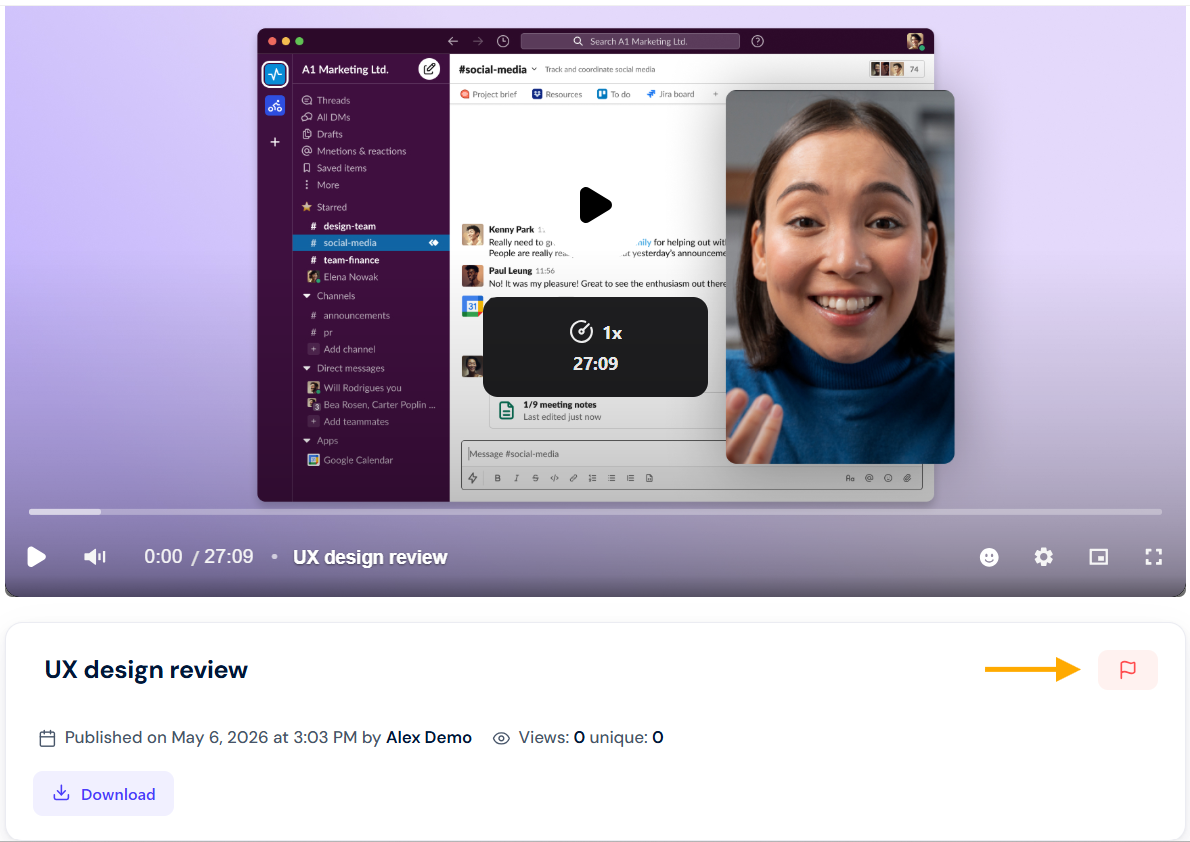
- The video player will load, displaying controls such as play/pause, a progress bar, and sharing options. Look for the flag icon (🏳️) near the player; typically, in the lower-right corner of the video interface.
- Authenticate your account:
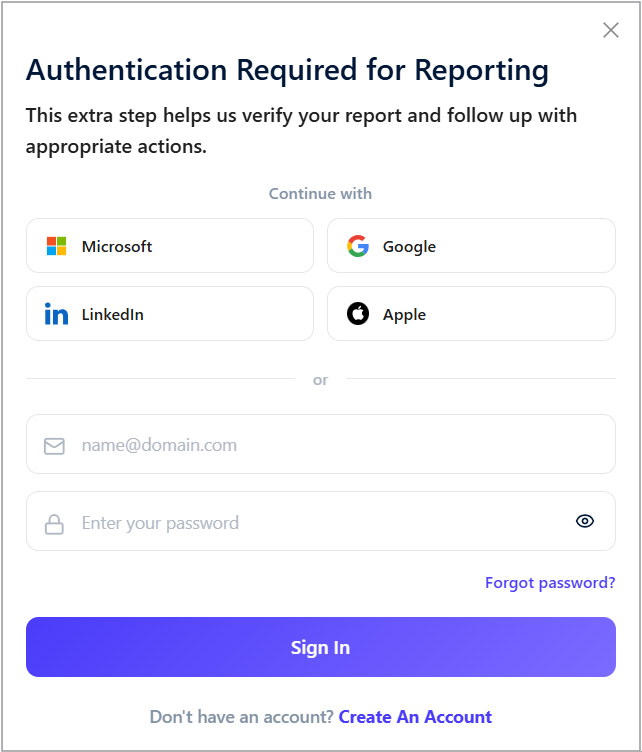
- If you’re not logged in, the system will prompt you with an Authentication Required for Reporting screen. This step verifies your identity to prevent spam reports and allows the dadan team to follow up if needed.
- Select the report type and reason:
- In the Report Video popup:
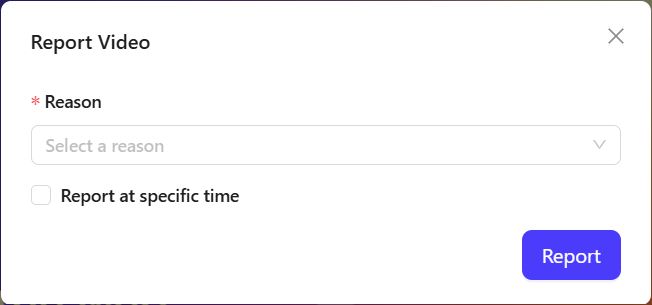
- Report in general: Leave the “Report at specific time” checkbox unchecked to flag the entire video.
- In the Report Video popup:
- Report at a specific time:
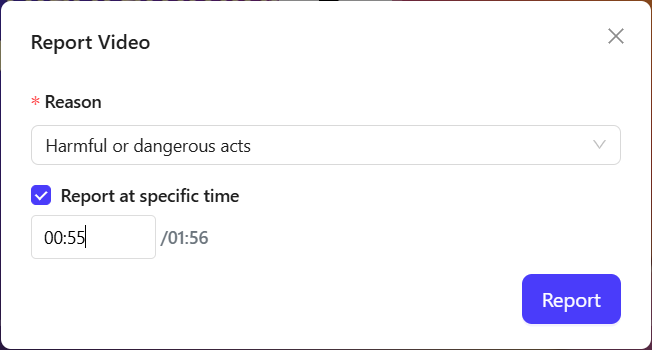
- Check the box if the issue occurs at a particular timestamp. This helps the review team pinpoint the problem quickly.
- Use the time input fields (format: MM: SS) to enter the start and end times (e.g., 00:55 to 01:56). The total video duration is displayed for your reference.
- Check the box if the issue occurs at a particular timestamp. This helps the review team pinpoint the problem quickly.
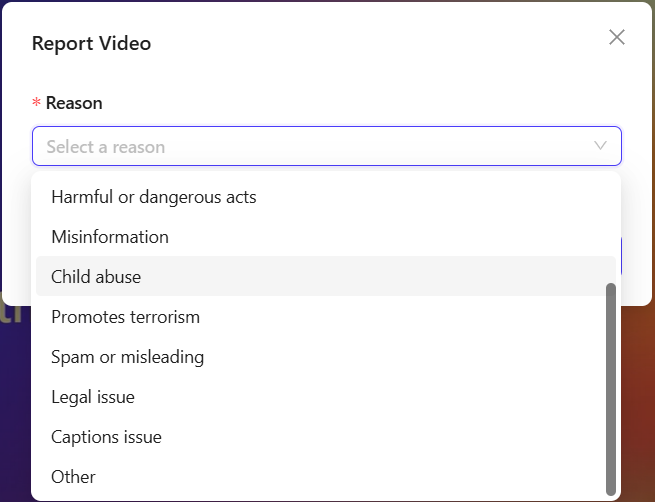
- Under Reason (marked with a red asterisk * for required):
- Click the dropdown menu labeled Select a reason. Choose from the predefined options:
- Sexual content
- Hateful or abusive content
- Violent or repulsive content
- Harassment or bullying
- Harmful or dangerous acts
- Misinformation
- Child abuse
- Promotes terrorism
- Spam or misleading
- Legal issue
- Captions issue
- Other
- Click the dropdown menu labeled Select a reason. Choose from the predefined options:
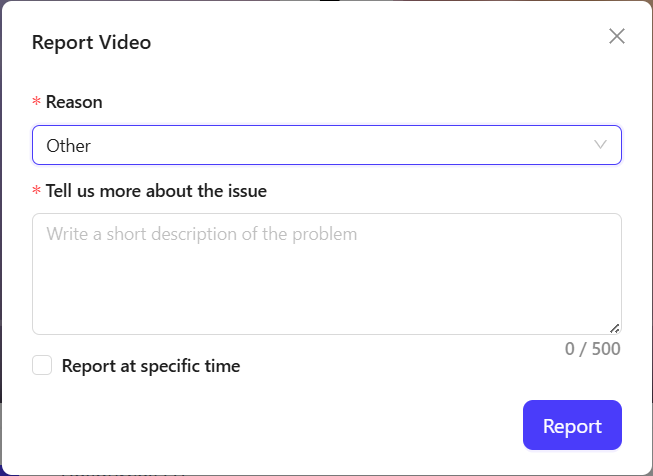
- If you selected Other:
- A text field will appear labeled Tell us more about the issue (marked with a red asterisk *).
- Write a short description of the problem (up to 500 characters).
- Be specific, factual, and concise, e.g., “The video demonstrates unsafe electrical wiring techniques without disclaimers, potentially endangering viewers.”
- Submit the report:
- Review your selections.
- Click the blue Report button.
- The report pop-up will close. The video owner will not be notified immediately to avoid retaliation.
Details on reasons and review process #
Selecting the right reason helps the dadan team prioritize and address issues efficiently. Here’s a brief overview of common reasons and what they cover:
| Reason | Description |
|---|---|
| Sexual content | Explicit or non-consensual sexual material that violates community standards. |
| Hateful or abusive content | Content promoting discrimination, threats, or abuse based on race, gender, religion, etc. |
| Violent or repulsive content | Graphic violence, gore, or disturbing imagery not suitable for general audiences. |
| Harassment or bullying | Targeted attacks, doxxing, or intimidation against individuals or groups. |
| Harmful or dangerous acts | Instructions or depictions of illegal, self-harm, or risky behaviors (e.g., unsafe stunts without warnings). |
| Misinformation | False or deceptive information that could mislead viewers on facts, health, or events. |
| Child abuse | Any content involving exploitation, harm, or inappropriate material related to minors—reported immediately to authorities. |
| Promotes terrorism | Advocacy for terrorist acts, recruitment, or extremist ideologies. |
| Spam or misleading | Deceptive ads, scams, or repetitive unwanted content. |
| Legal issue | Copyright infringement, privacy violations, or other legal concerns. |
| Captions issue | Inaccurate, offensive, or missing subtitles/transcripts affecting accessibility. |
| Other | Custom issues not covered above; provide details for context. |
Review by the dadan team #
- All reports are reviewed by dadan’s moderation team (priority for severe issues like child abuse).
- The team assesses the content against dadan’s Community Guidelines and may:
- Remove or restrict the video.
- Suspend the account if violations are repeated.
- We will contact you for more information via your registered email.
- You won’t receive updates on the outcome for privacy reasons, but reporting contributes to platform safety.
- If the report involves illegal activity, dadan cooperates with law enforcement.
Tips for effective reporting #
- Be objective: Stick to facts to strengthen your report.
- Use specific times: This speeds up review, especially for long videos.
- If urgent: For immediate threats, contact local authorities alongside reporting.
- Privacy: Your report is confidential, and dadan uses encryption for all data.


