
This feature allows users to customize video playback speed on the dadan platform, enhancing flexibility and control over their viewing experience. Whether you want to speed up for quick reviews or slow down for detailed analysis, this functionality caters to diverse user needs with seamless adjustments.
Adjusting video play speed on dadan #
The dadan platform offers two distinct methods to customize video playback speed, allowing you to speed up for quick reviews or slow down for detailed understanding. Here’s how to adjust the play speed using each method.
Choosing a playback speed #
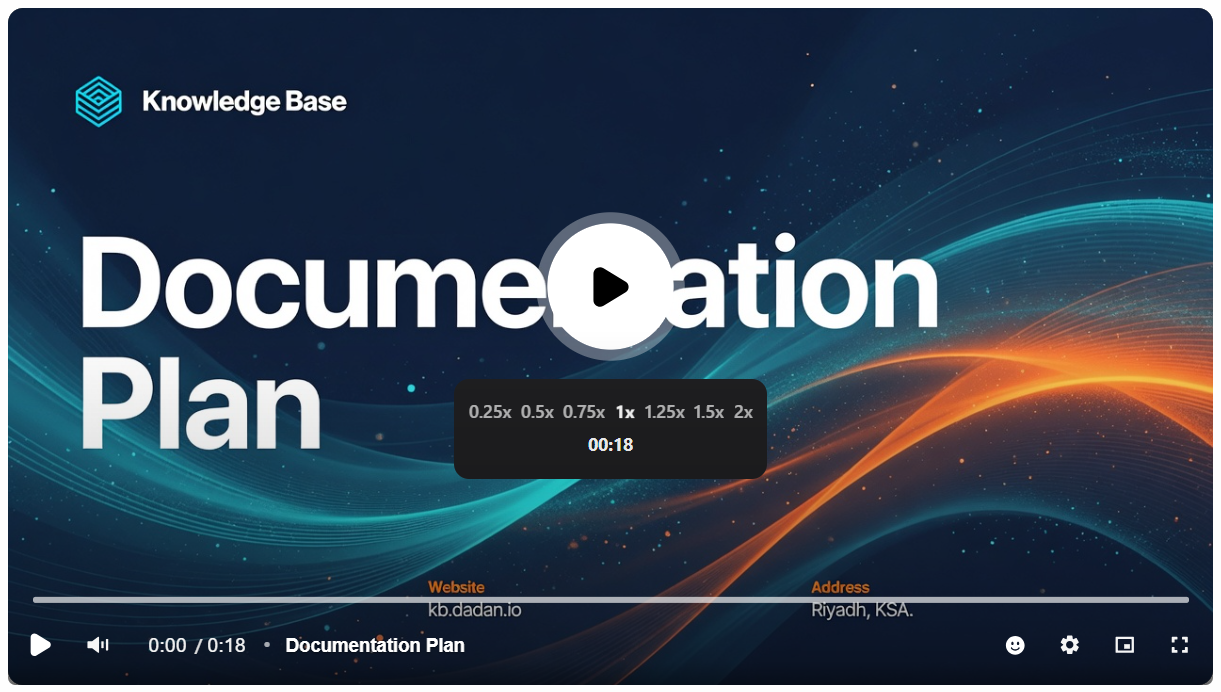
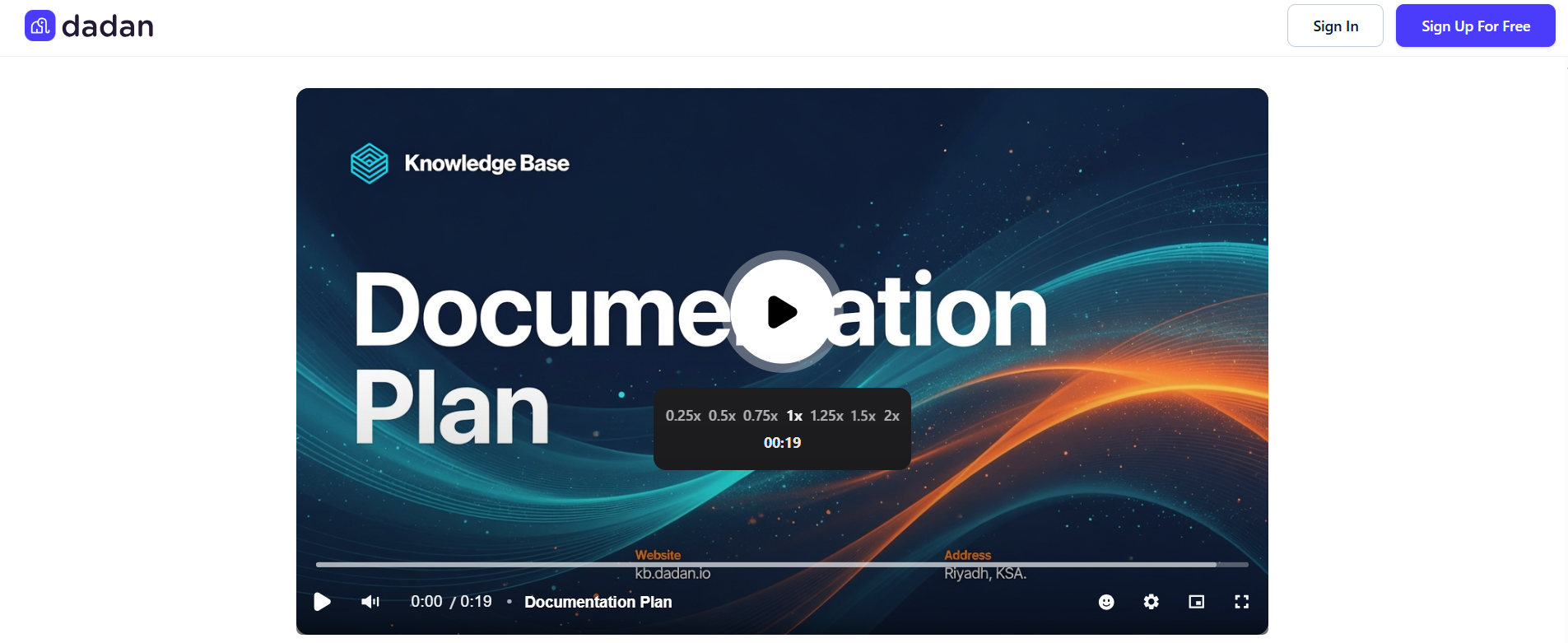
When you open the video play page, there is a box in the middle of the video to adjust the speed.
- Select your desired speed. Options include:
- 0.25x, 0.5x, 0.75x, 1x (normal), 1.25x (default), 1.5x, and 2x.
- For example, 0.25x means a quarter of normal speed, and so on.
Accessing the speed options #
The other method is from the video settings, like usual.
- Click the gear icon (settings) in the video controls to open the settings menu.
- Select Speed from the dropdown menu to view available playback options.
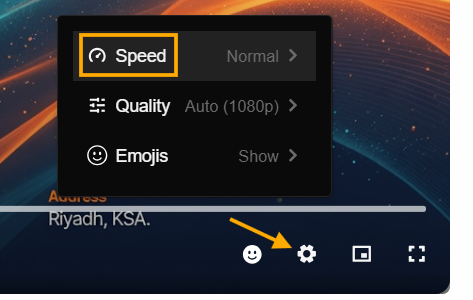
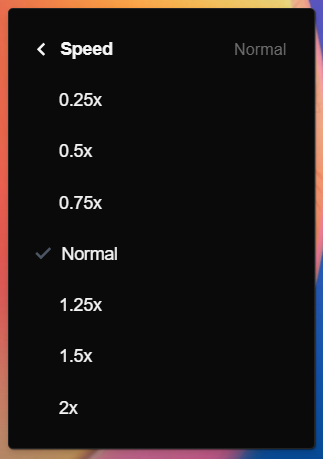
- Select your desired speed. Options also include:
- 0.25x, 0.5x, 0.75x, 1x (normal), 1.25x (default), 1.5x, and 2x.
Real-time duration feedback #
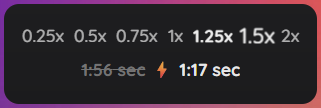
Except for the normal speed, other speeds adjust the video duration accordingly. For instance, with 1.25x, the video duration is reduced from 1:56 to 1:33 seconds, and with 1.5x, it is shortened to 1:17 seconds. The player displays both the original video length (e.g., 1:56) and the adjusted duration based on the selected speed, helping you plan your viewing time effectively.
Shared and embedded videos #
On shared and embedded videos, the viewer can also adjust the video playback speed the same way.
This feature enhances your video experience by offering flexibility, making it easy to adapt playback to your pace. Experiment with different speeds to find the setting that works best for your audience!
Note: Only Full Embed videos allow you to adjust the video playback speed.


