
Need quick access to your most frequently used folders? In dadan, you can mark folders as Important to highlight them for quick access. Starred folders appear in the Important section, allowing you to access them quickly whenever needed.
This quick guide walks you through how to mark (and unmark) folders as important.
Looking for the full guide on managing folders? Check out the complete folder management guide.
Steps to mark a folder as important #
To mark a folder as important, follow these steps:
- Log in to your dadan account. The Home page opens by default.
- You can switch to the Personal Library, a Team Space, or any other location to sort a folder.

- Find the folder you want to mark as important and click the three dots [⋮] button.
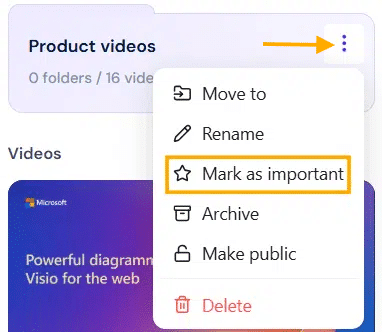
- A dropdown menu will expand, click Mark as important.
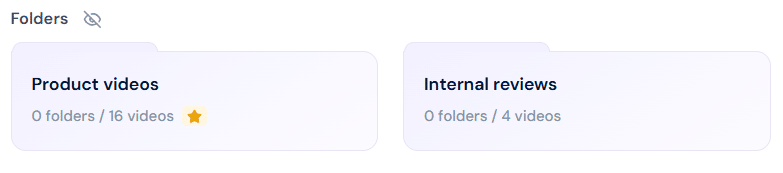
- A Star icon will appear on the selected folder.
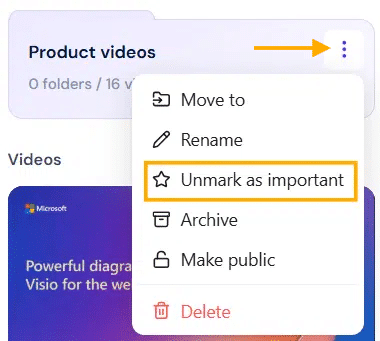
- To unmark the selected folder as important, use the steps above and select the Unmark as important option.
- This option is available only for folders that are already marked as important.
Tip: Use the Important section to keep active projects or shared folders within easy reach.


