
The Video Details section in dadan provides essential information about your recorded video. This section, located on the video playback page, helps you manage and organize your content efficiently.
The Video Details provide essential information about your video, making it easier to manage and track engagement. It allows you to view key metadata, including title, publication date, author, and engagement metrics.
- See also: Managing dadan video resources.
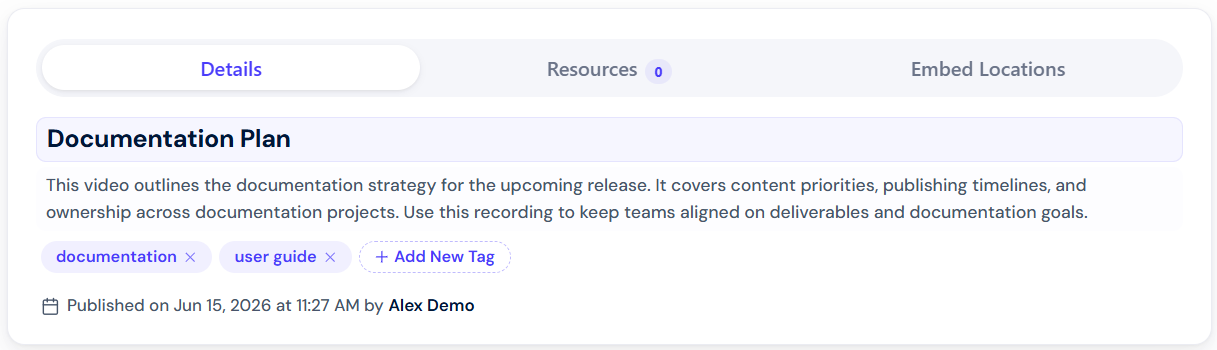
Title & video information #
The video’s title is displayed at the top, helping you quickly identify the content. Below the title, you can find details such as:
- Publication date & time: When the video was uploaded or recorded.
- Author: The user who created or uploaded the video.
Video location & views #
Video location & views provide more data about your video:
- Open Video Location: This option allows you to access the video’s saved location within the dadan app video library.
- Views: Displays the total number of views and unique viewers.
Description & Tags #
Adding a description helps viewers understand the content of your video at a glance, while tags make it easier to categorize and search for related videos.
- Description: You can manually add a description to summarize the video’s content or use AI-generated suggestions for quick and effective descriptions.
- Tags: Tags help categorize your video, making it easier to search for and organize related content. You can add tags manually or let AI suggest relevant ones based on the video’s content.


