
One of dadan key features is the ability to publish recorded videos directly to your LinkedIn account (company page), eliminating the need to download and manually upload videos.
This integration enables you to share professional content like demos, tutorials, announcements, or thought leadership videos straight to LinkedIn for greater visibility and engagement.
Prerequisites #
- A dadan account (paid plan; integration requires a Pro plan or higher).
- A LinkedIn account (an organization/page you manage).
Connect dadan with LinkedIn #
To connect dadan to LinkedIn, follow these steps:
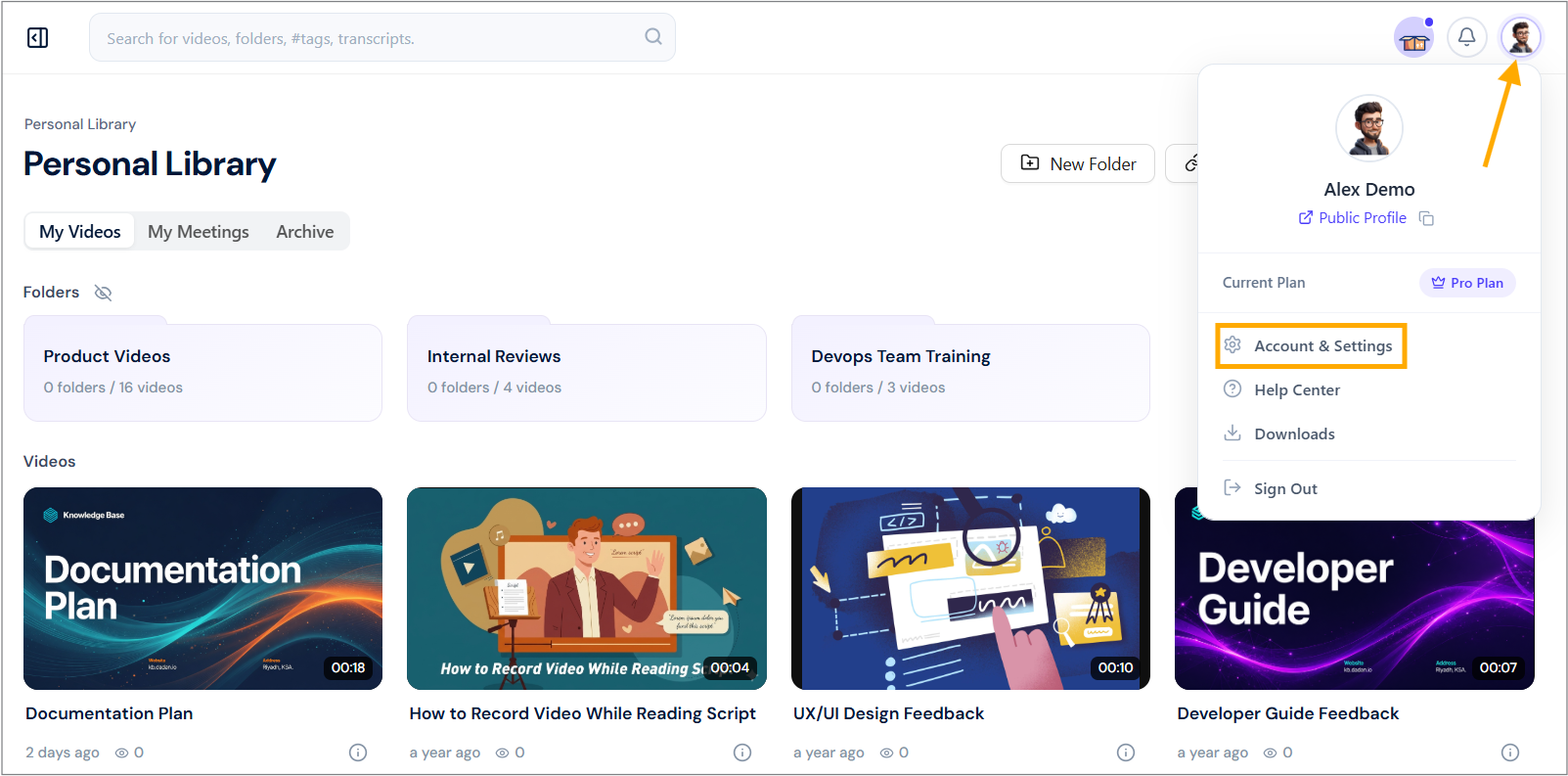
- Navigate to your dadan account and click your profile icon in the top right corner.
- Select Account & Settings from the dropdown menu.
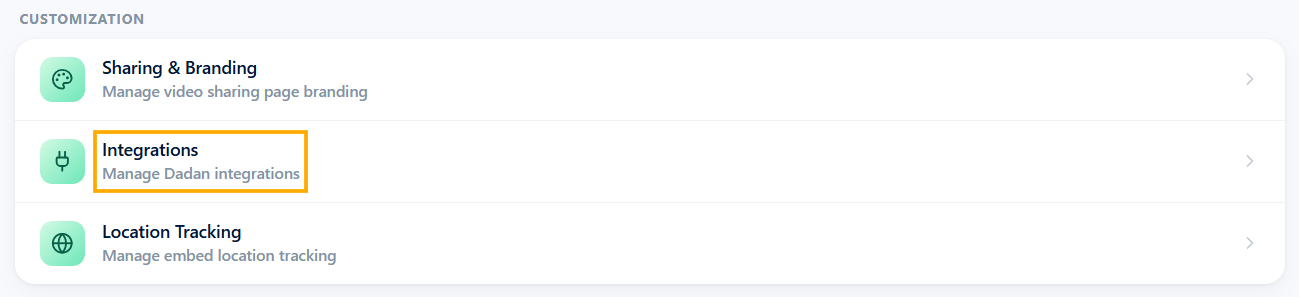
- In the Customization box, click the Integrations section.
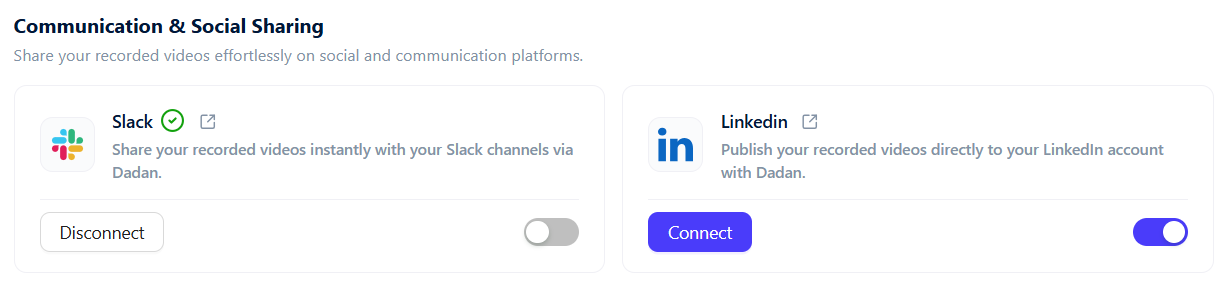
- Under the Communication & Social Sharing section, locate the LinkedIn integration option.
- Click Connect, and a pop-up will appear prompting you to enter your LinkedIn details.
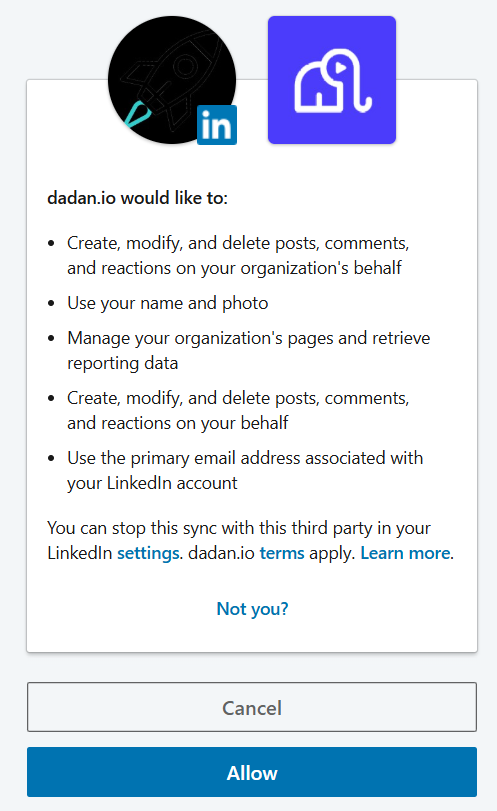
- You will be redirected to LinkedIn for authorization.
- Review the permissions requested by dadan.io (e.g., create/modify/delete posts, comments, and reactions on your behalf; use your name/photo; manage pages; etc.).
- Click Allow to grant access. Once connected, the status will change to “Connected”.
Publish to LinkedIn #
To publish dadan video to your LinkedIn company page, follow these steps:
- Open your video in your dadan library.
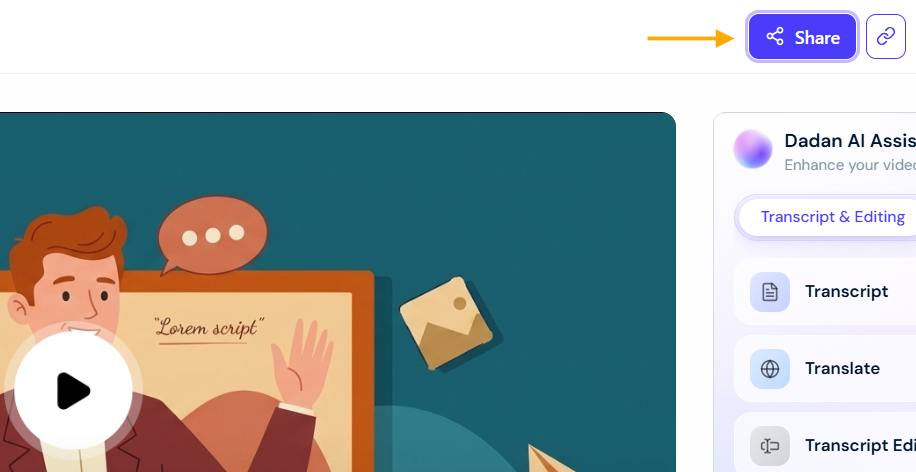
- Click the Share button (usually in the top-right corner).
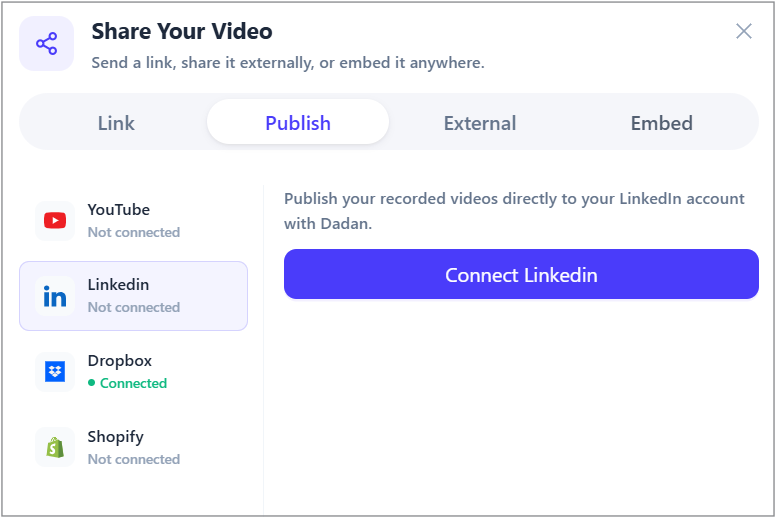
- In the Share Your Video pop-up, select the Publish tab.
- LinkedIn will appear in the list of connected platforms (along with others like YouTube, Dropbox, Slack, etc.).
- If not already connected, click Connect LinkedIn here and follow the authorization steps.
- Optionally:
- Toggle Include description to add a custom caption or AI-generated description.
- Select Sharing Type (e.g., Upload video).
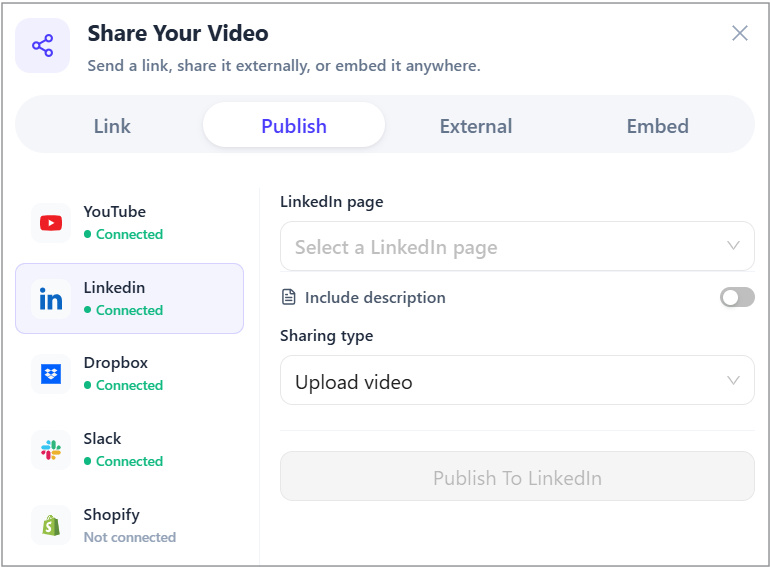
- In the LinkedIn Page box, select your company page you want.
- Click Publish To LinkedIn.
- The video will upload directly to your LinkedIn feed as a native video post.
Tips #
- After publishing, you can monitor engagement directly on LinkedIn.
- If you manage a LinkedIn Company Page, ensure the connected account has admin rights to post on behalf of the organization.
- Disconnect or manage permissions anytime via dadan integrations settings or your LinkedIn account settings (under third-party apps).
- For best results, use AI-generated titles, descriptions, and tags to optimize visibility on LinkedIn.
This direct publishing feature saves time and ensures your videos are posted as native content on LinkedIn, improving reach.


