
You can permanently delete your account if you no longer wish to use dadan. This irreversible process will remove all videos, folders, and associated data from our servers. Be sure to back up any important content before proceeding.
⚠️ Warning about deleting your account ⚠️
When you delete your dadan account, the following actions take place:
- All videos, folders, and shared content will be permanently deleted.
- You will lose access to your dadan account and any associated teams.
- Any links shared with others will no longer work.
- Recovery is not possible once the deletion is complete.
Accessing the Delete My Account option #
To access the Delete My Account option:
- Open the dadan app.
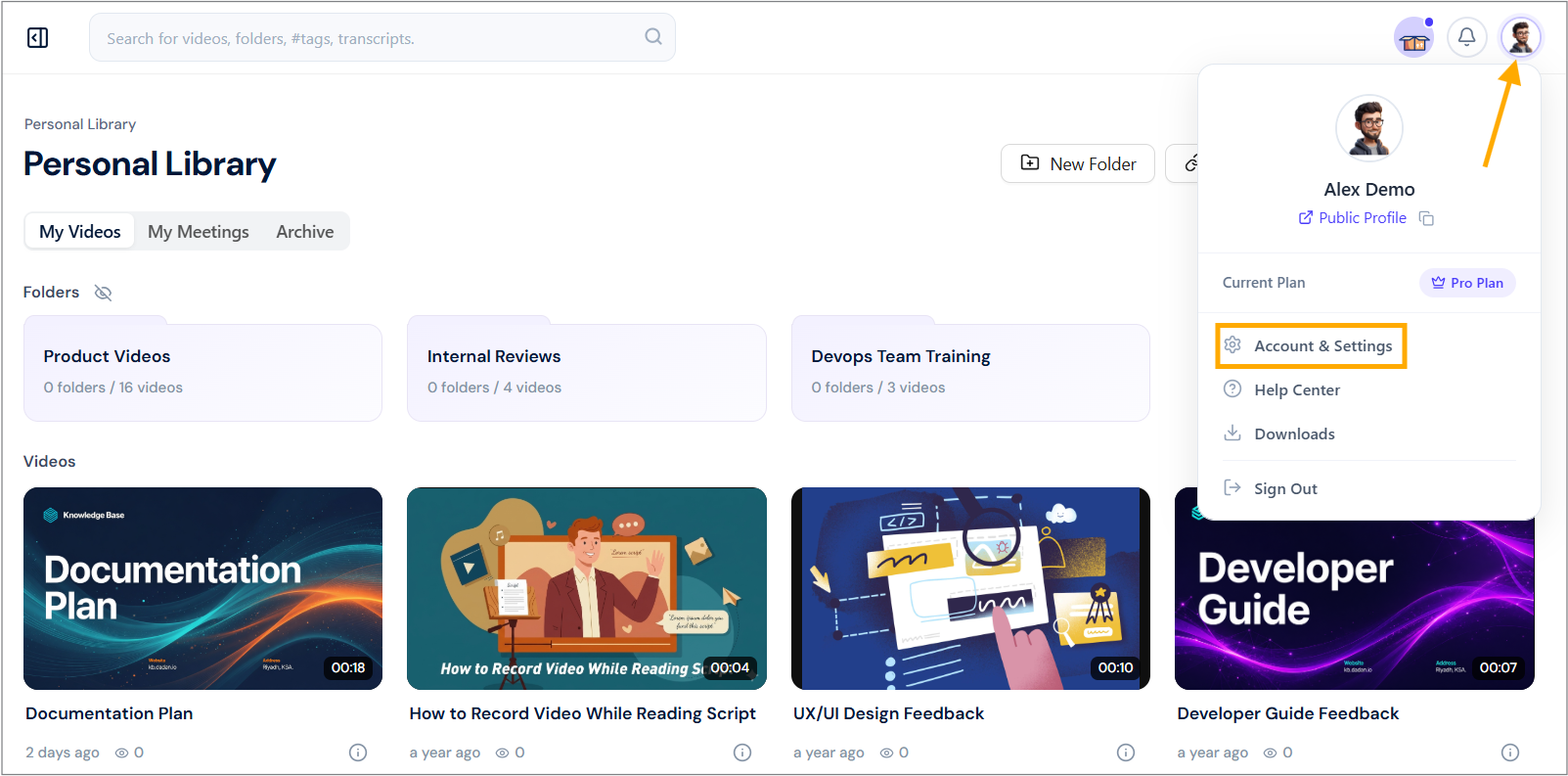
- Click on your profile icon in the top-right corner.
- Select Account & Settings from the dropdown menu.
- In the My Account page, click the Profile section or the Edit Profile icon.
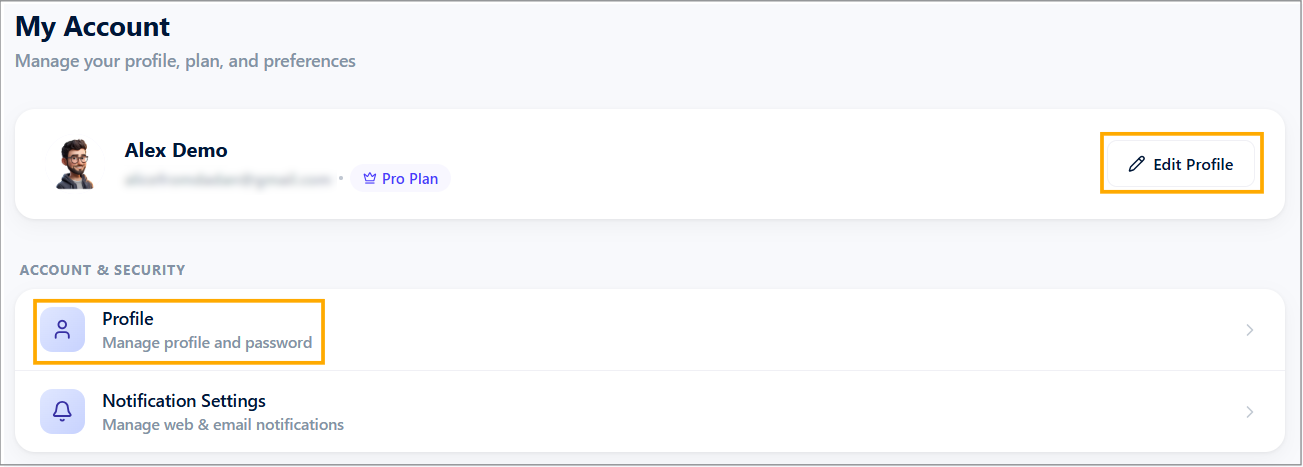
- In the Danger Zone, click the Delete My Account option in the Profile Settings screen.

Before you delete your dadan account #
Before deleting your dadan account, there are some alternative options:
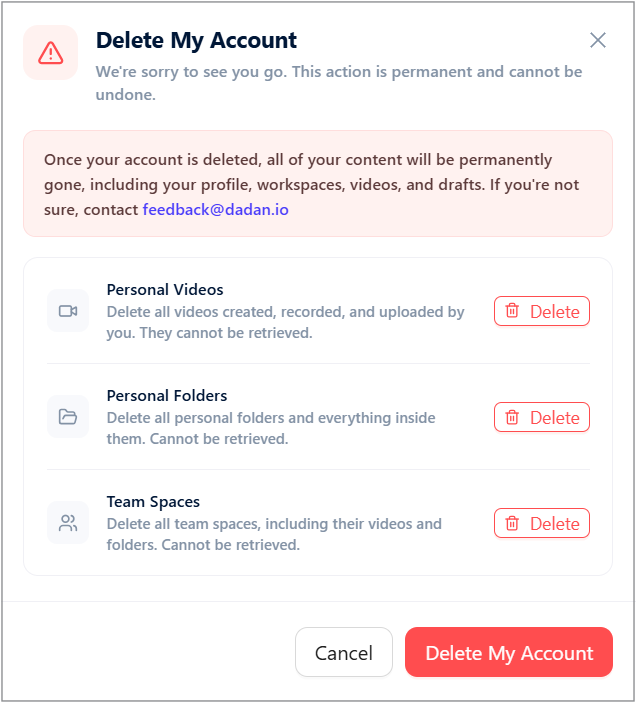
- After clicking the Delete My Account option, review the warning messages about permanent deletion.
- If you want to delete only your Personal Videos rather than your entire account, click Delete next to them.
- If you are sure, confirm your decision in the prompt that appears.
- If you prefer to delete only your Personal Folders, click Delete next to them.
- If you are sure, confirm your decision in the prompt that appears.
- If you prefer to delete only your Team Spaces, click Delete next to them.
- If you are sure, confirm your decision in the prompt that appears.
Finally, delete your account #
If any of the previous options are not enough, proceed with the final steps:
- If you are sure you want to delete your account completely, click Delete My Account.
- If you are sure of your final decision, confirm deletion in the prompt that appears.
⚠️Final Warning ⚠️
Once confirmed, your account will be permanently deleted, and you will no longer be able to recover it.


