
The new dadan Recording Studio is an enhanced, browser-based video creation and recording tool for creating, recording, editing, and sharing professional videos. It emphasizes quick starts through templates, AI assistance, and flexible recording options. The studio serves content creators, businesses, educators, and teams producing demos, promos, pitches, explainers, and more.
Key strengths include:
- Pre-built templates with predefined scenes, durations, and structures.
- AI-powered features (e.g., script generation, narration from slides).
- Multiple entry points: instant recording, template browsing, presentation import, or custom builds.
- Scene-based projects with global settings for consistency.
- Onboarding guidance via task checklists for new users.
This tool targets content creators who want fast, high-quality video production without complex editing tools. It supports both ready-to-use templates and flexible customization.
Video studio home #
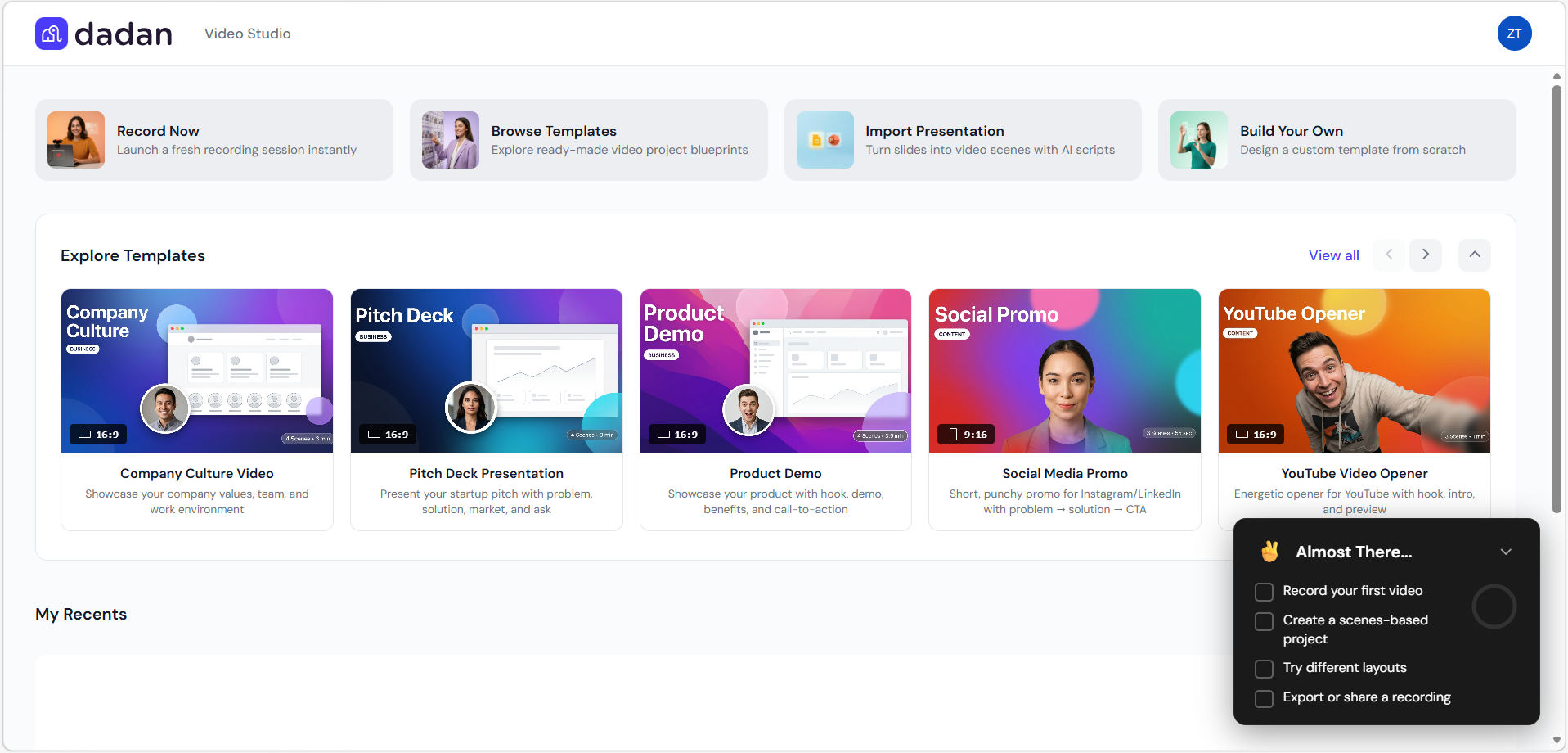
The home page displays:
- Top action buttons:
- Record Now: Launches a fresh recording session instantly (opens Quick Start screen).
- Browse Templates: Opens the Template Library to explore ready-made projects.
- Import Presentation: Converts slides (PPT/Google Slides) into video scenes with AI scripts.
- Build Your Own: Starts a custom template from scratch.

- Explore Templates section: Carousel showcasing featured templates (e.g., Company Culture, Pitch Deck, Product Demo, Social Media Promo, YouTube Opener). Each card shows:
- Preview image with presenter/person.
- Aspect ratio (e.g., 16:9 or 9:16).
- Scene count and estimated duration (e.g., 4 Scenes • 3m 0s).
- Category (e.g., BUSINESS, CONTENT).
- Short description (e.g., “Showcase your company values, team, and work environment”).

- My Recents: Grid or list of recent projects.
- Onboarding widget (“Almost There…”) with task checklist:
- Record your first video.
- Create a scenes-based project.
- Try different layouts.
- Export or share a recording.

Quick Start / Record Now interface #
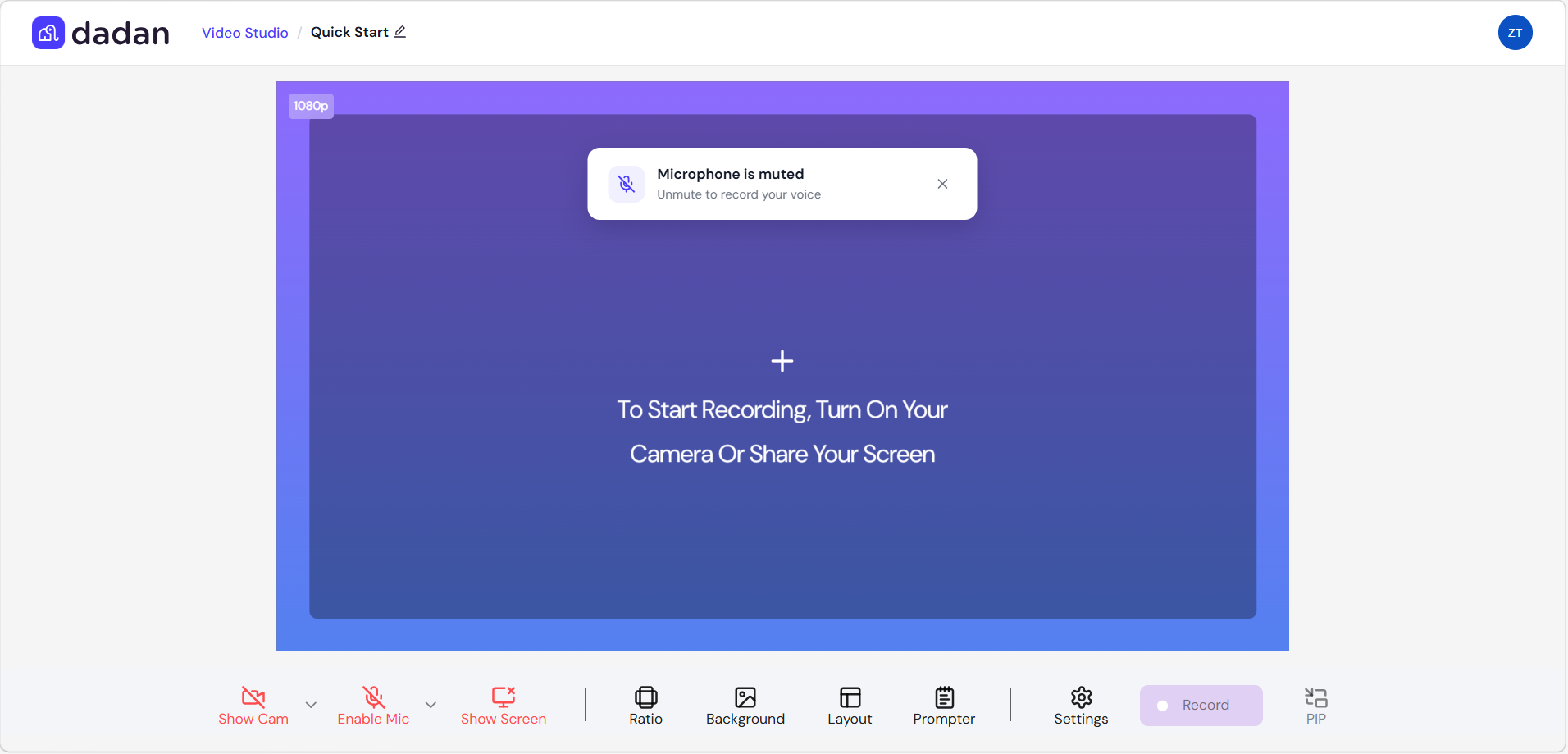
From Record Now opens a full-screen recording view with:
- Preview area (e.g., 1080p labeled).
- Prompts to enable camera, microphone, or screen share.
- Mute/unmute notifications.
- Toolbar at bottom:
- Show Cam / Enable Mic / Show Screen toggles.
- Ratio selector.
- Background options.
- Layout controls.
- Prompter.
- Settings.
- PIP (Picture-in-Picture) mode.
- Record button (purple). Minimal details needed here, as the interface includes built-in guides and prompts.
Note: The Quick Start screen is the same as the Dadan Recorder.
Template Library #
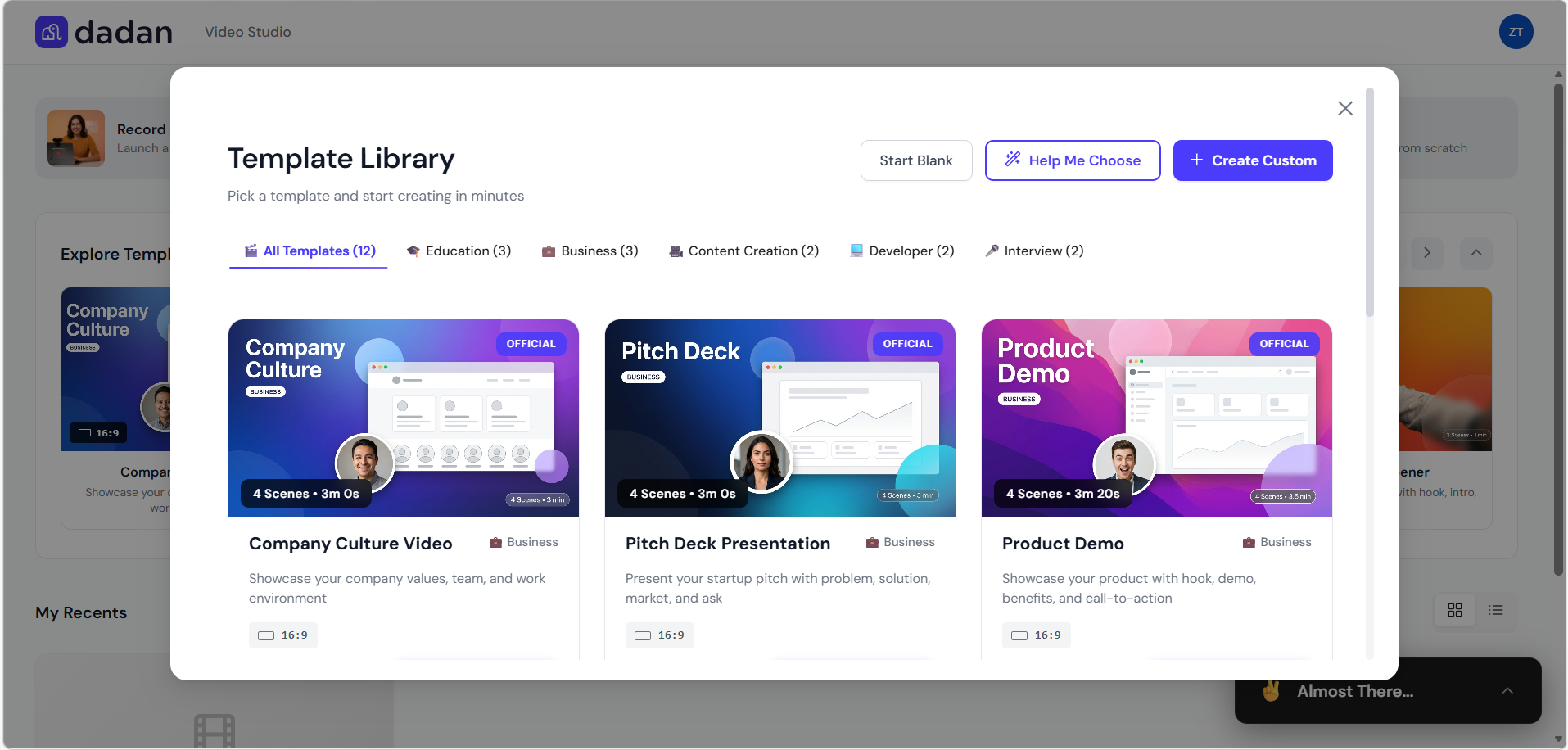
From Browse Templates, View All, or Browse All Templates, a pop-up window with:
- Search/browse filters by category: All Templates, Education, Business, Content Creation, Developer, Interview (12+ templates shown).
- Options: Start Blank, Help Me Choose, Create Custom.
- Template cards display:
- Preview thumbnail.
- Official badge (for select ones).
- Title and category.
- Scene count and duration (e.g., 4 Scenes • 3m 0s).
- Description: Templates provide predefined scenes, scripts, and layouts for quick professional results.
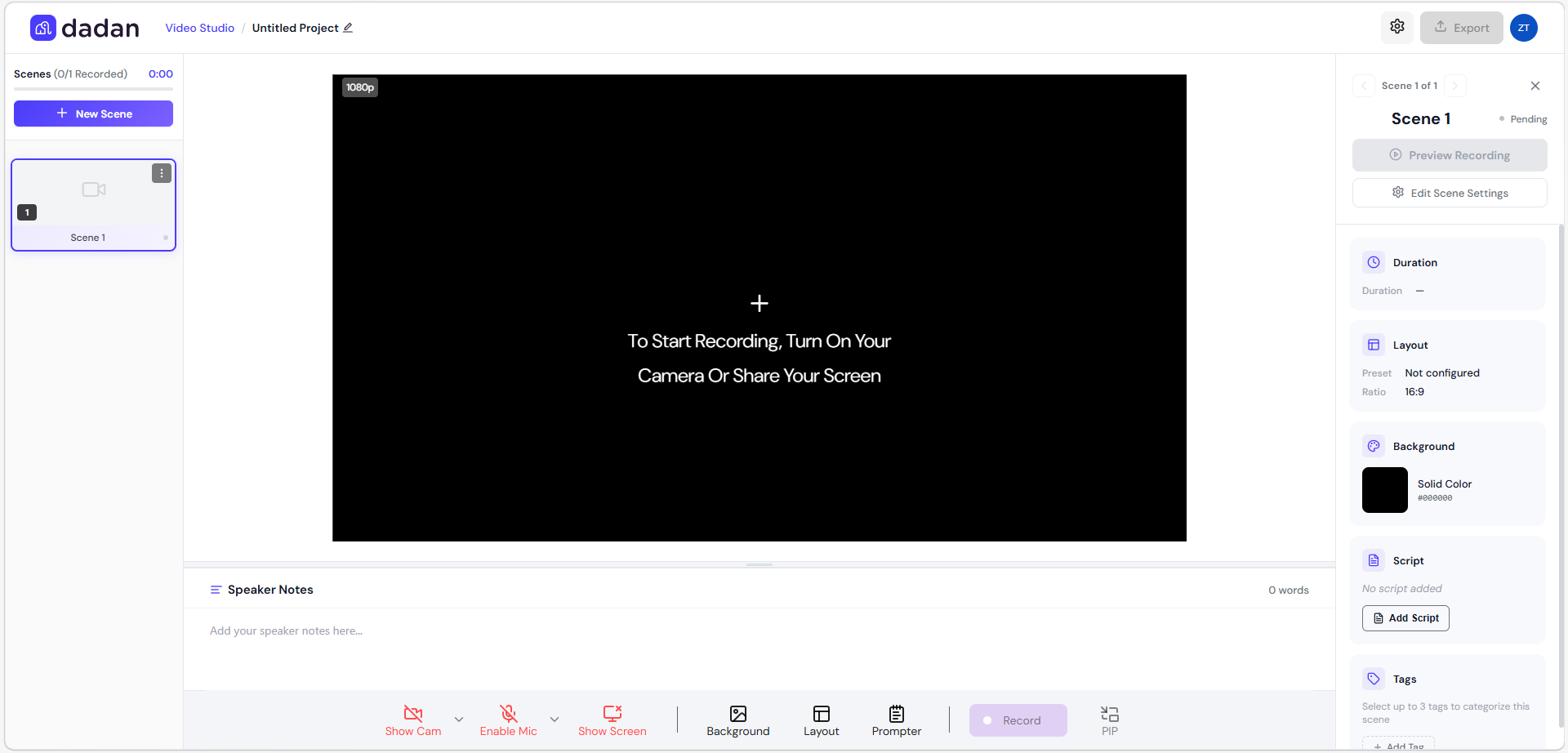
- The Start Blank option allows users to begin a completely empty project from scratch without using any pre-built template.
- It creates a new untitled project in Video Studio with:
- A single default Scene 1 already added (shown as “Pending” and ready to record).
- The main preview area set to black (solid color background #000000 by default).
- Aspect ratio locked to 16:9 (Landscape) initially.
- Full access to all recording and scene configuration tools right away.
- The Help Me Choose option is a guided, interactive template recommender inside the Template Library.
- It opens a step-by-step wizard titled Find Your Perfect Template that helps users quickly discover the most suitable pre-built template for their needs.
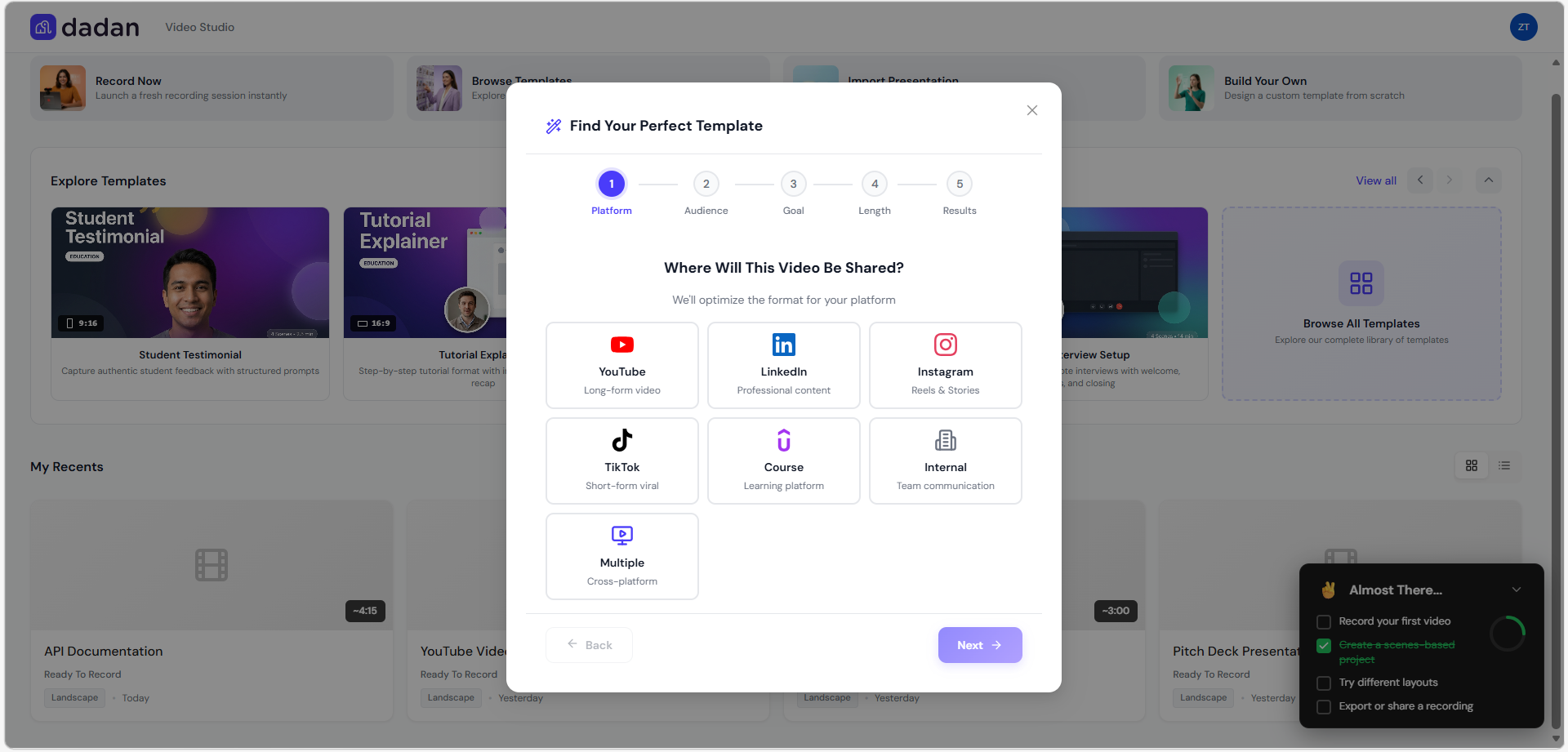
- Read this guide for more details: Dadan recording studio template library.
Import Presentation (coming soon) #
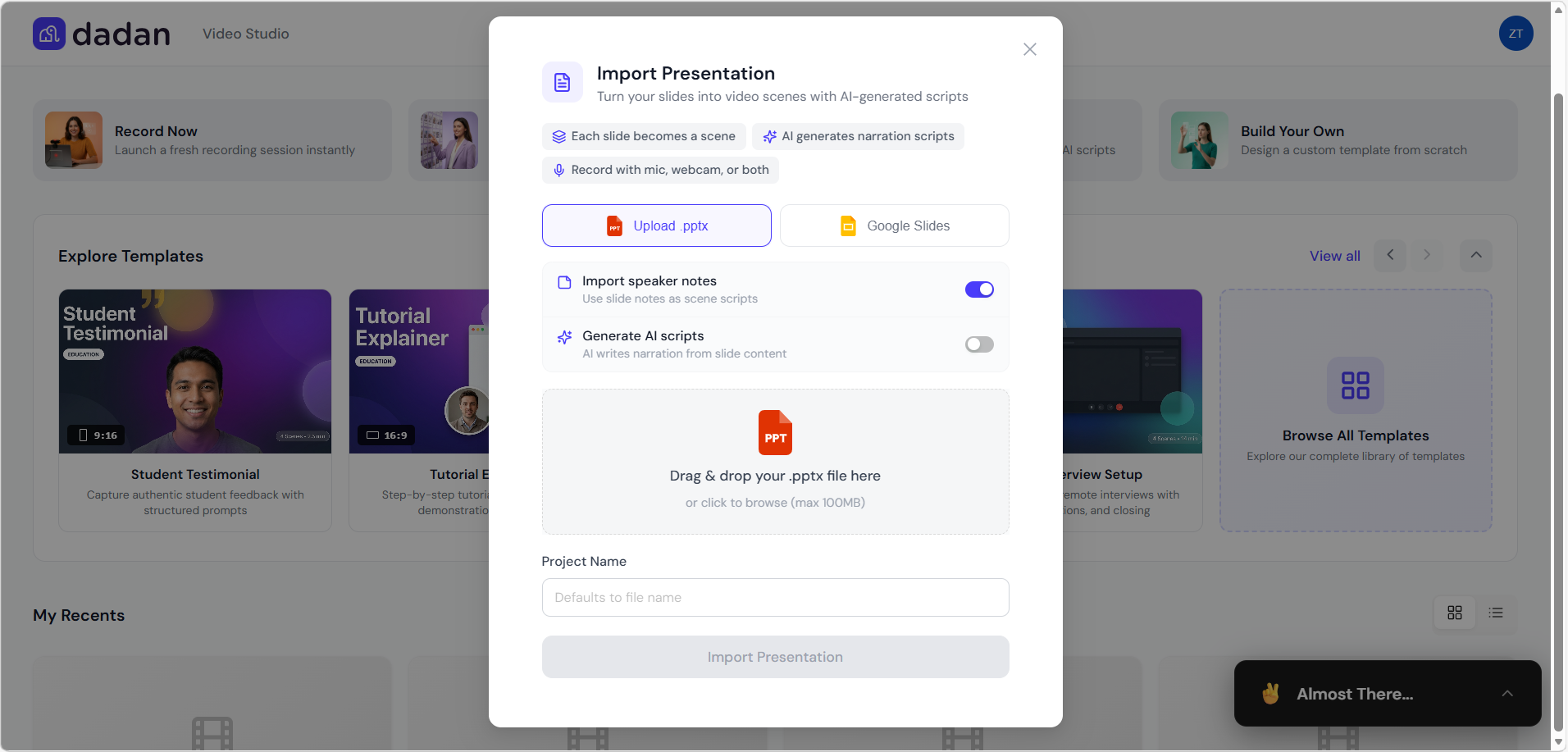
Dedicated modal for turning slides into videos:
- Upload .pptx or connect Google Slides.
- Each slide becomes a scene.
- AI generates narration scripts (toggleable).
- Option to import speaker notes as scripts or generate AI scripts from content.
- Project name field (defaults to file name).
- Supports mic, webcam, or both for recording over scenes.
Create Custom Template / Build Your Own #
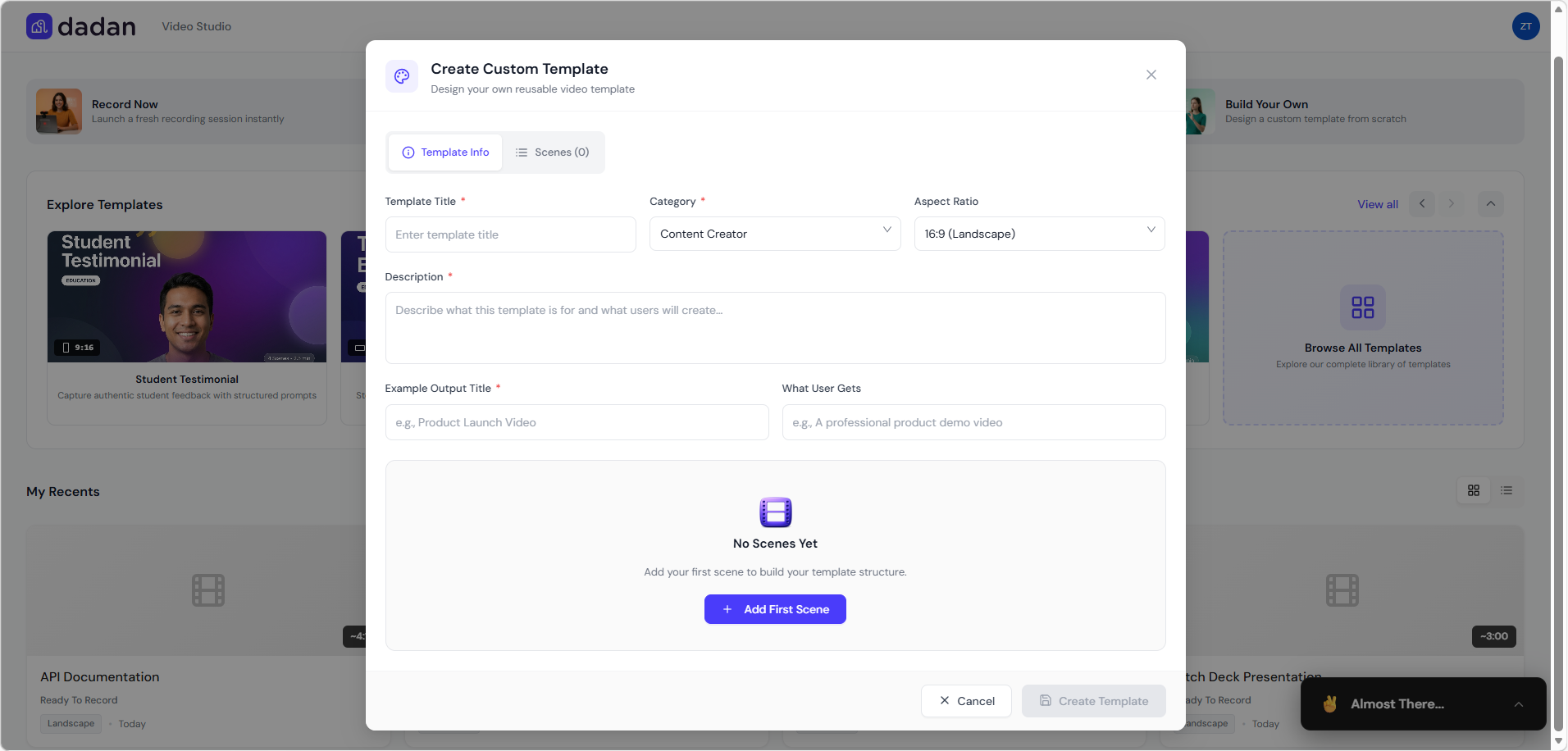
Modal for designing reusable templates:
- Tabs: Template Info and Scenes.
- Fields:
- Template Title (required).
- Category (dropdown, e.g., Content Creator).
- Aspect Ratio (e.g., 16:9 Landscape).
- Description.
- Example Output Title.
- What User Gets (benefits).
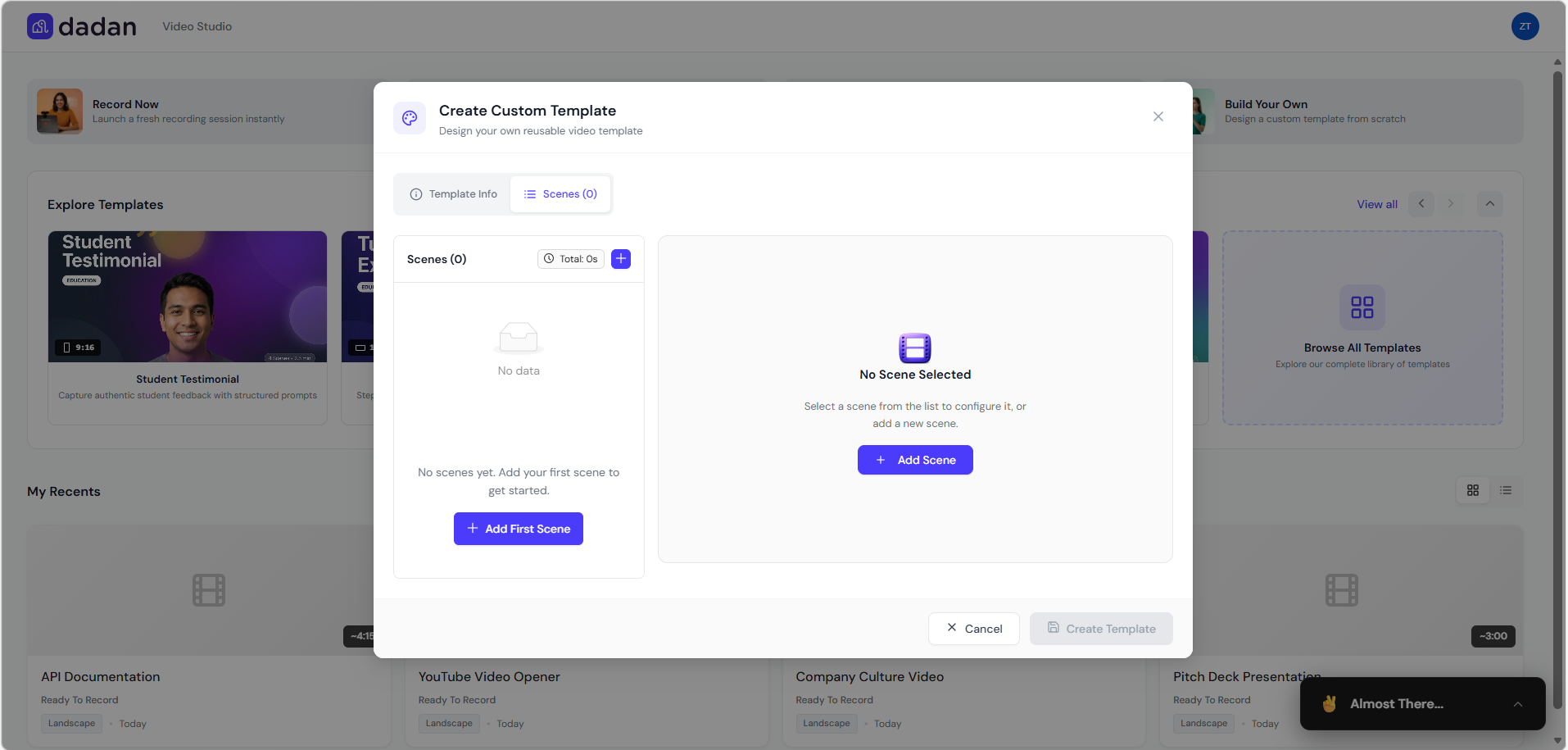
- Scenes section: Add scenes (start with + Add First Scene / + Add Scene).
- Shows total duration.
- List for configuring/duplicating/adding blank scenes.
- Preview area when a scene is selected.
- Buttons: Create Template, Cancel.
Additional features #
- Single aspect ratio enforced per project for consistency.
- Scene management: Add blank scenes, duplicate existing ones.
- Global settings (e.g., countdown, guides).
- Export: Background processing to personal library; auto-chapters from scenes; estimated size/duration shown.
- Premium AI features (e.g., script customization/generation).
- Onboarding progress for new users to discover features.
Benefits
- Fast video production using templates or imports.
- AI reduces manual scripting effort.
- Browser-only – no downloads needed.
- Consistent, professional output.
- Easy sharing and integration into workflows.


