
Hiring often requires multiple rounds of interviews, which can be time-consuming for both recruiters and applicants. With dadan’s Video Request feature, you can streamline early-stage interviews by inviting candidates to record responses at their convenience.
This method is sometimes referred to as Asynchronous Interviews, One-way Video Interviews, or Pre-recorded Candidate Assessments. It enables you to evaluate more applicants quickly while offering them a flexible way to present their skills.
Why use video requests in recruitment? #
HR recruiters may use this method for the following reasons:
- Save time: Review dozens of candidate responses using AI-generated transcripts, summaries without scheduling calls.
- Standardize evaluation: Each applicant answers the same questions, making it easier to compare.
- Expand reach: Candidates can respond across time zones without logistical obstacles.
- Reduce bias: Structured, consistent video questions lead to a more objective review.
- Create a candidate-friendly experience: Applicants record when ready, without the stress of live technical issues.
- Leverage AI Assistant and templates: Use HR interview templates within dadan’s Video Note Taker to quickly highlight key answers, compare candidates, and keep evaluation consistent across the hiring team.
How to set up a job interview with dadan video requests #
To start the proses:
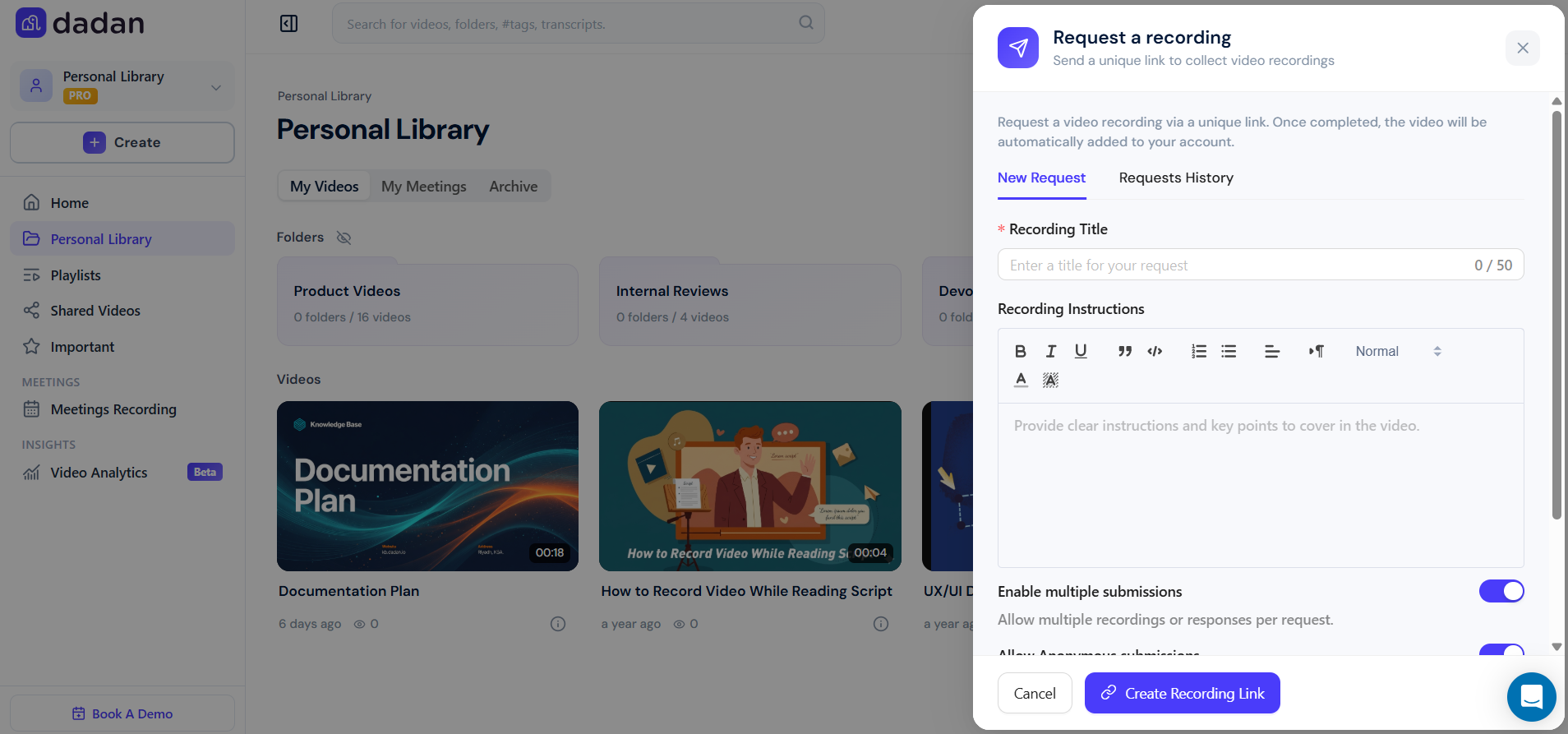
- Create a video request:
- Go to your dadan dashboard and click Video Recording Request.
- Include a brief introduction that explains the role and provides instructions.
- Add the questions you want candidates to answer.
- Customize response options:
- Choose if candidates can respond with a camera, screen sharing, or both.
- Decide whether responses are limited to a single take or allow retries.
- Set deadlines for submission to keep your process on track.
- Share the request:
- Send the unique request link directly to candidates via email or your job portal.
- Although candidates don’t technically need to register for a dadan account, it’s still very important to help HR managers know each candidate’s name.
Note: You can use one link with the multiple submissions feature enabled for all candidates.
- Review and evaluate responses:
- Watch recordings directly in dadan Video Play.
- Use AI summaries and transcripts and intelligent search to scan answers quickly.
- Add internal timeline-anchored comments or reactions for collaborative evaluation with your hiring team.
Tips for effective async interviews #
To have the most advantage of dadan:
- Keep it short: Limit to 3–5 questions to avoid exhaustion.
- Ask structured questions: Example: “Tell us about a time you solved a difficult problem.”
- Mix formats: Allow for one text-based answer for written communication skills.
- Be clear about time limits: e.g., 2 minutes per answer.
- Offer practice space: Let candidates test audio/video before recording.
- Combine async + live: Use async for screening, then invite top candidates to a live interview.
Example workflow: Hiring a marketing coordinator #
- Recruiter sends a video request with three questions:
- Introduce yourself.
- Share one example of a successful campaign you’ve worked on.
- How would you approach building content for a new product?
- Candidates record short videos on their own time.
- The hiring manager reviews all responses in under an hour, using AI-powered transcripts to skim key points.
- The selected candidates are invited to a live panel interview.
Result
The HR team may reduce initial screening time by 50-70%, and candidates may appreciate the flexible, modern process, as they now have the opportunity to take the call at their own time and from their own comfort zone.
💡 Tip: Dadan video requests aren’t just for job interviews; they also work for internship applications, university admissions, or client feedback collection.


