
Dadan AI Video Note Taker includes ready-to-use templates that make it easy to capture structured notes for various types of meetings. Each template is designed for a specific scenario, so your notes are always organized, clear, and relevant. By selecting the correct category and note type, you can save time and ensure that nothing important is overlooked.
Read before:
Template elements overview #
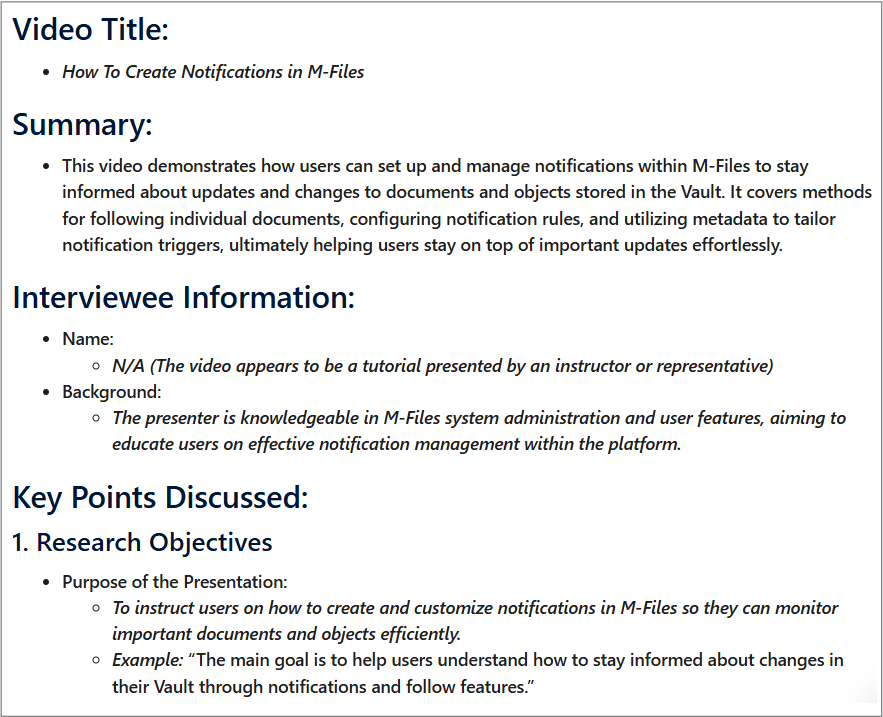
Each template in Dadan AI Video Note Taker comes with a structured format. While the specific layout depends on the meeting type, most templates include the following elements:
- Video Title: The title of the recorded meeting or session.
- Summary: A short overview capturing the main purpose and outcome.
- Attendees/Participants: List of people who joined the meeting.
- Agenda: Topics or points planned for discussion.
- Key Points Discussed: Highlights of the main conversations and decisions.
- Action Items: Tasks assigned with owners and deadlines.
- Conclusion: Wrap-up statement or closing decisions.
- Additional Notes: Extra details that don’t fit into the other sections.
AI Video Note Taker templates usage #
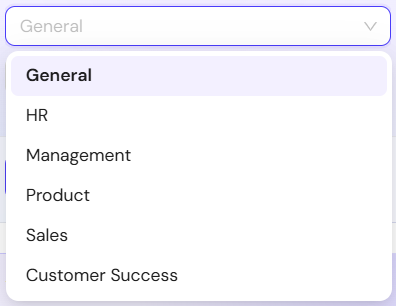
Dadan AI Video Note Taker categorizes meetings into six primary groups to ensure structured and relevant note-taking:
- General.
- HR.
- Management.
- Product.
- Sales.
- Customer Success.
General templates #
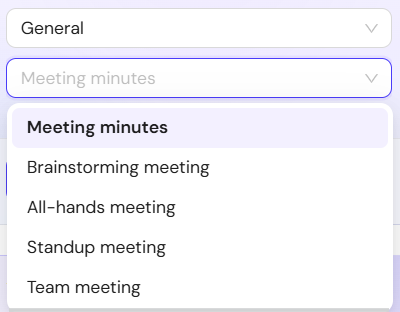
These templates are ideal for everyday team meetings and agile workflows:
- Meeting minutes: Standard meeting notes with decisions, action items, and follow-ups.
- Brainstorming meeting: Organizes ideas, suggestions, and proposed solutions.
- All-hands meeting: Captures company-wide announcements, updates, and questions.
- Standup meeting: Summarizes progress updates, priorities, and blockers.
- Team meeting: Documents regular team discussions, decisions, and responsibilities.
General templates mostly include these items:
- Video Title.
- Duration.
- Summary.
- Attendees/Participants.
- Agenda.
- Key Points Discussed.
- Action Items.
- Next Meeting/Steps.
- Conclusion.
- Additional Notes.
HR templates #
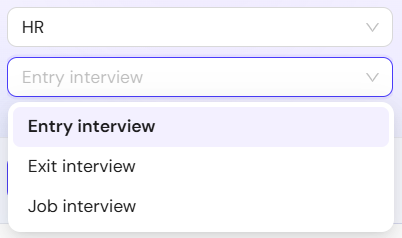
For recruitment, onboarding, and employee lifecycle conversations:
- Entry interview: Notes on new employee introductions and expectations.
- Exit interview: Feedback and insights from departing employees.
- Job interview: Candidate evaluation, strengths, and concerns.
HR templates mostly include these items:
- Video Title.
- Summary.
- Candidate/Employee Information.
- Key Points Discussed.
- Action Items.
- Conclusion.
- Additional Notes.
Management templates #
Designed for leadership, performance, and company strategy:
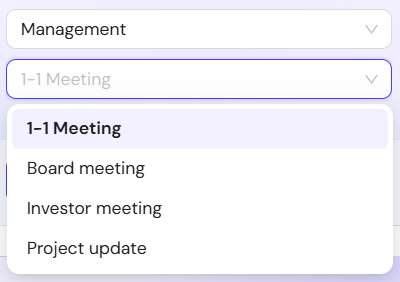
- 1-1 Meeting: Tracks employee updates, feedback, goals, and action items.
- Board meeting: Records board discussions, decisions, approvals, and strategic initiatives.
- Investor meeting: Summarizes investor conversations, company updates, and next actions.
- Project update: Captures project status, milestones, risks, and upcoming work.
Management templates mostly include these items:
- Video Title.
- Summary.
- Participants.
- Employee Information.
- Key Points Discussed.
- Conclusion.
- Additional Notes.
Product templates #
Focused on research and product development sessions:
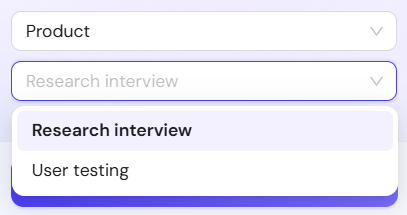
- Research interview: Summarizes findings from customer or market research.
- User testing: Captures insights, issues, and recommendations from usability tests.
Product templates mostly include these items:
- Video Title.
- Summary.
- Interviewee Information.
- Test Participant Information.
- Key Points Discussed.
- Conclusion.
- Additional Notes.
Sales templates #
These templates follow popular sales methodologies and client call structures:
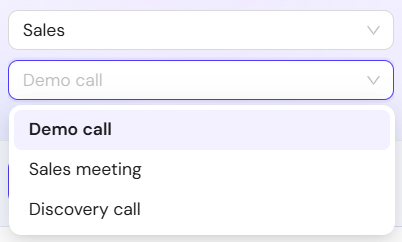
- Demo call: Summarizes product demonstrations, customer reactions, and follow-up actions.
- Sales meeting: Records pipeline discussions, account updates, and sales planning.
- Discovery call: Captures customer needs, challenges, goals, and qualification details.
Sales templates mostly include these items:
- Video Title.
- Summary.
- Key Points Discussed.
- Conclusion.
- Additional Notes.
Customer success templates #
For managing customer relationships, health, and growth:
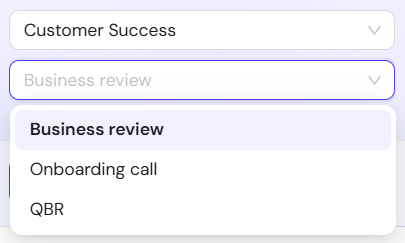
- Business review: Summarizes account performance, achievements, and future goals.
- Onboarding call: Documents implementation progress, training, and next steps.
- QBR: Organizes quarterly business review discussions, outcomes, and action plans.
Customer success templates mostly include these items:
- Video Title.
- Summary.
- Key Points Discussed.
- Conclusion.
- Contact Information.
- Contact for Follow-up.
- Additional Notes.
Best practices for accurate AI notes #
To get the best results, it’s important to choose the right template, use clear audio for transcription, and review the notes before sharing. Small adjustments make summaries more precise and useful.
- Use clear audio for better transcription accuracy.
- Choose the most relevant Note Type for your meeting.
- Add context manually if AI misses specific jargon or niche details.
- Regularly review and refine notes before sharing.
Troubleshooting & FAQs #
If something doesn’t look right, dadan provides options to regenerate notes and switch templates. Here are answers to common questions:
Q: The notes don’t match my meeting type. What should I do?
A: Check if you selected the correct category and note type. Try regenerating with a more suitable option.
Q: Can I edit the AI-generated notes?
A: No, but you can copy the notes and fully edit and customize them in any text editor.
Q: What happens if my meeting has multiple topics?
A: Choose the closest template, then edit or split the notes into sections afterward.


