
Sometimes you want to share your dadan videos beyond your team. Whether it’s with clients, partners, or the public, making a video public means anyone can watch it on your dadan public profile page, without a login.
Looking for the full guide on video management? Check out the complete video management guide.
Steps to make videos public #
Follow these steps to update your video’s visibility settings:
- Go to the Personal Library or Team Space where you want to upload the video.
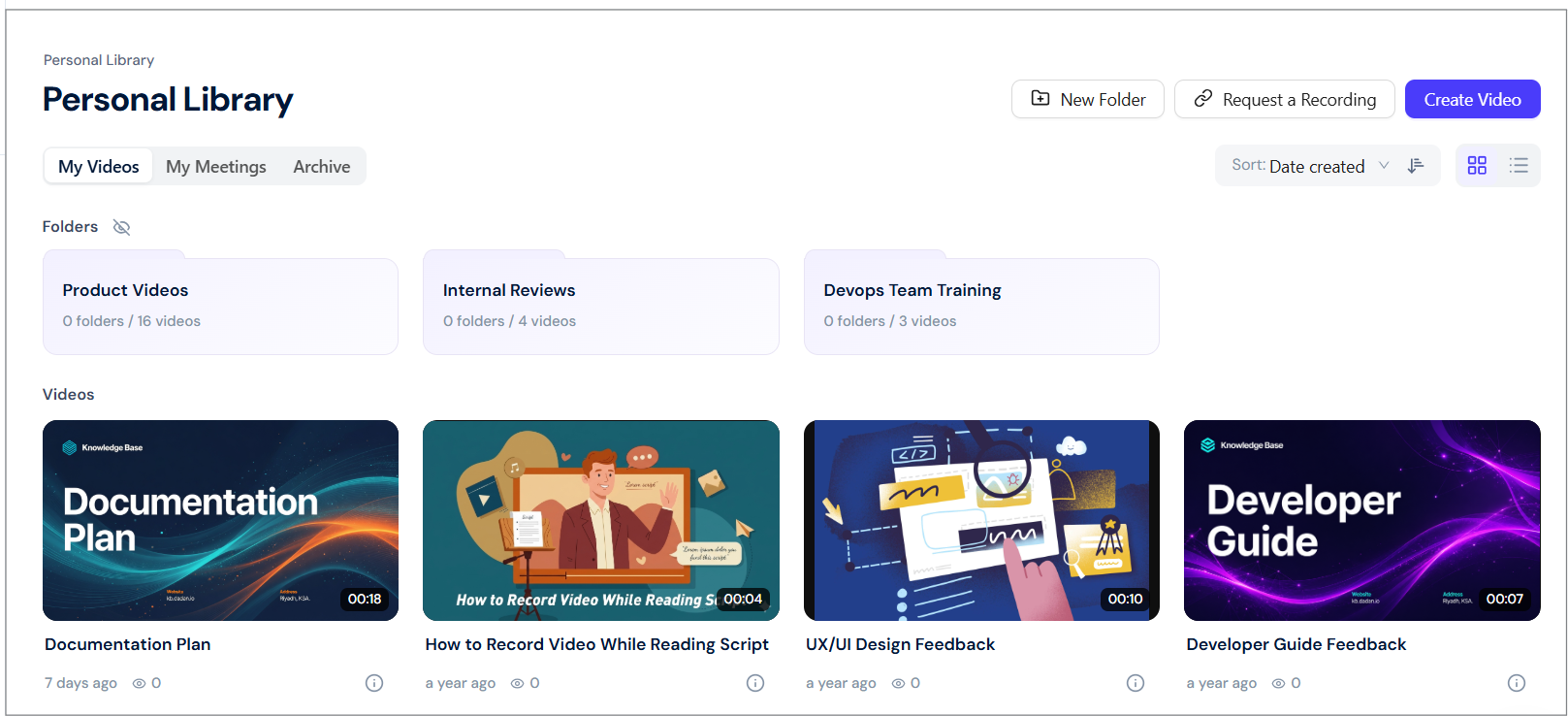
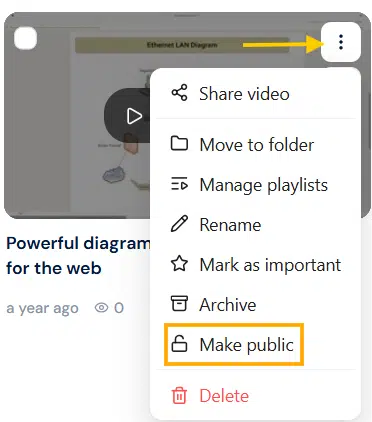
- In the Videos section, find the video and click the three-dots [⋮] icon.
- A dropdown menu will expand, click Make public.
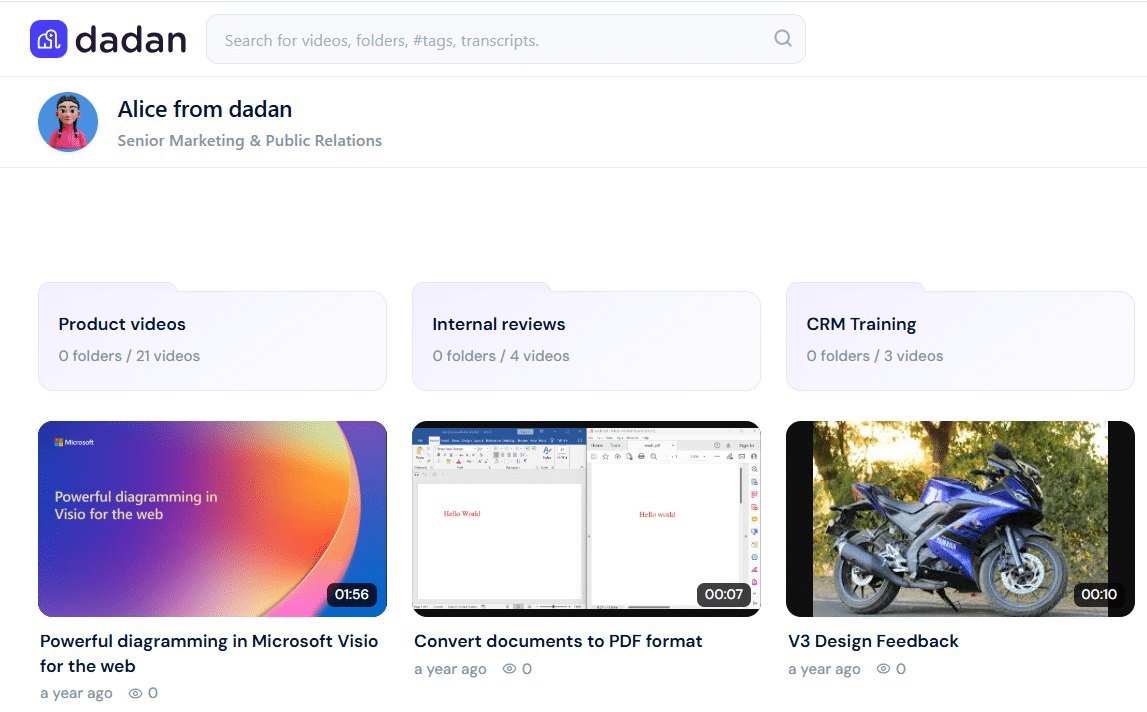
- Your video will be viewed in your public profile:
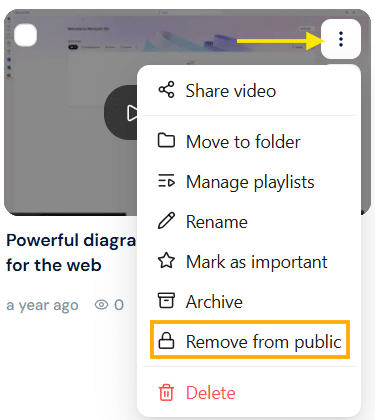
Note: To remove the video from the public, follow the steps above and select the Remove from public option. This option is only available if the videos are already public.
Tip: Public videos are great for sharing product demos, tutorials, or announcements outside your team. Just remember, anyone with the public profile link can view them, so only make videos public when you’re ready to share them broadly.


