
Do you need to clean up your archive for good? If you’re sure you no longer need a video, you can permanently delete it from your dadan account.
Looking for the full guide on video management? Check out the complete video management guide.
Steps to delete archived videos permanently #
To permanently delete an archived video:
- Go to the Personal Library or Team Space where the video was uploaded.

- Find and click the Archive menu.
- In the Videos section, find the Video you want to delete and click the three dots [⋮] menu.
- A dropdown menu will expand, and click Delete permanently.
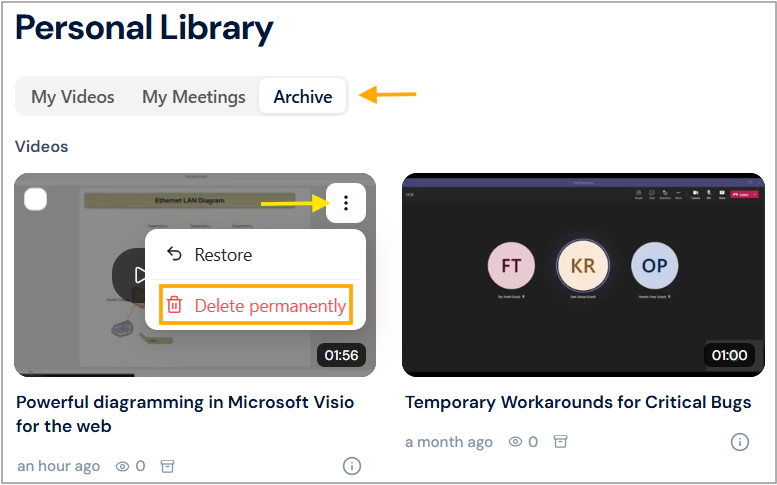
- A confirmation box will appear, click the Yes, Delete it! button.

The video will be permanently removed from your account and cannot be recovered.
Tip: Only choose this option if you’re absolutely sure; permanently deleted videos cannot be restored.
Delete multiple videos permanently #
Do you need to clear up space or remove old recordings? You can delete multiple archived videos permanently in one step.
To delete multiple videos:
- In the archive menu, select the videos by clicking the checkmarks on their thumbnails.
- Click Delete permanently in the action bar.
- Confirm the deletion when prompted.

Once deleted, videos cannot be recovered. Make sure you’ve saved what you need before confirming.


