
Welcome to the dadan API overview for recording requests. This article explains how and when to use the dadan Video Recording Request API, what you can do with it, and real-world examples to help you get started.
Most people start using dadan through the web app interface. It’s simple, fast, and works well for sending a few video requests or organizing recordings manually. But when your workflow grows or when you want dadan to work alongside other tools in your system, using the API can save you time and effort.
The dadan video recording request API gives you more control and flexibility. Instead of clicking through the interface one step at a time, you can automate repetitive tasks, connect with other platforms, and trigger video recording requests based on actions happening elsewhere, like a new signup, a CRM update, or a support ticket.
What is a recording request? #
In dadan, a recording request is an invitation for someone to record and submit a short video, without needing to install anything.
You can manually create a dadan video request in the dadan app or use the API to make these requests automatically.
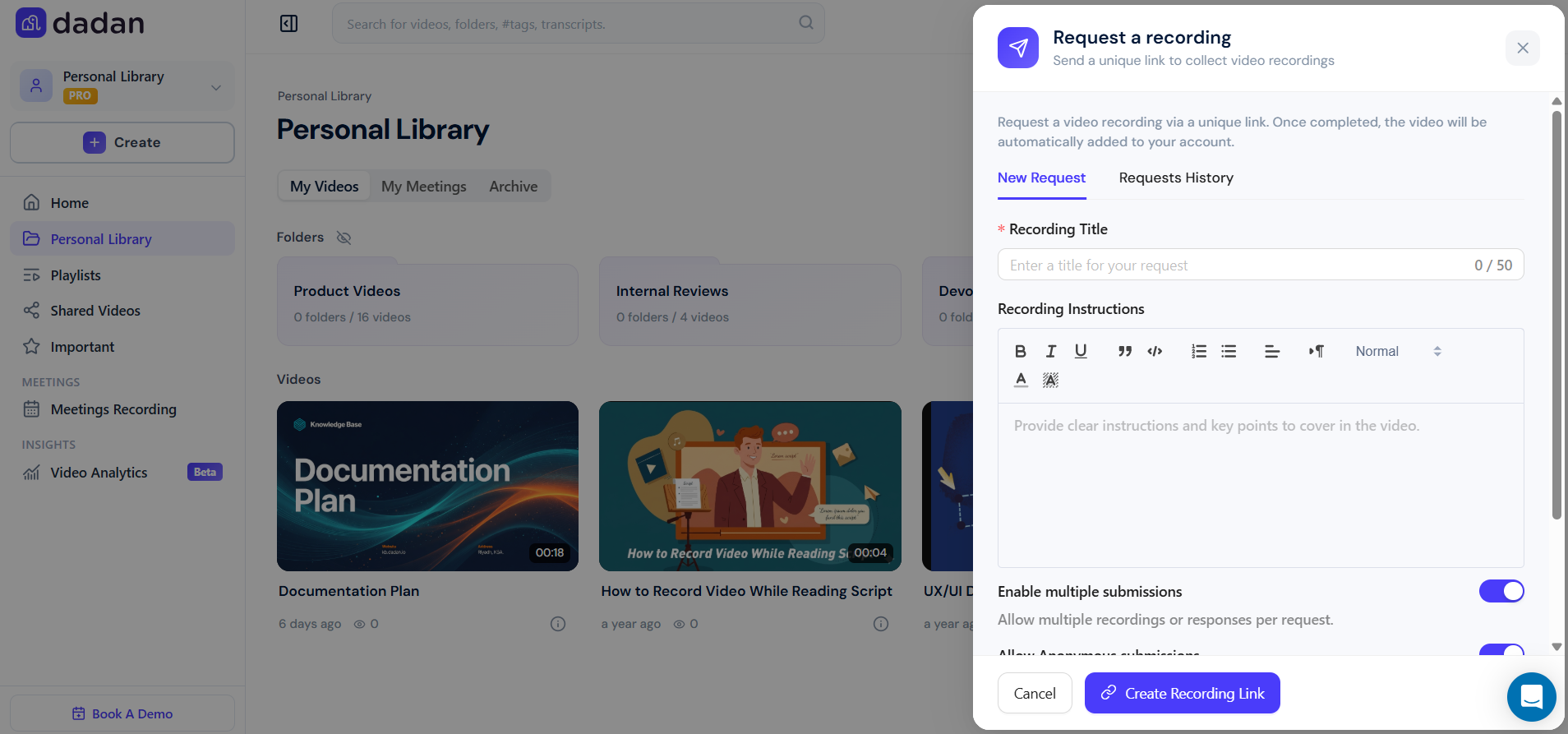
The recording request is excellent when you want to:
- Collect short intros from candidates or customers
- Request updates or responses from your team
- Capture quick feedback or video testimonials
What is the dadan video recording request API? #
The dadan Video Recording Request API allows businesses and developers to create and manage video recording requests programmatically. Instead of manually setting up each recording request through the web interface, you can automate this process and integrate it directly into your systems or workflows.
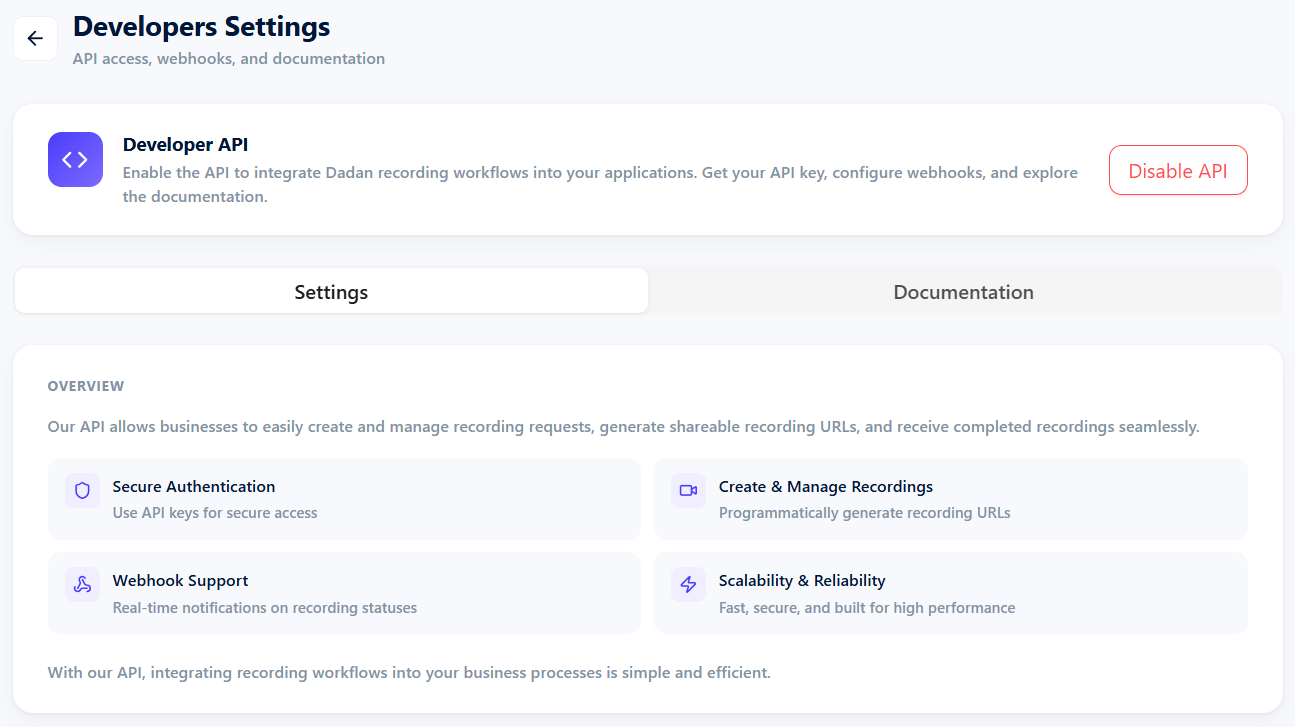
Why use the API? #
In the web app, you typically create a recording request by clicking Request a recording through the dadan interface, filling out the form, and sending it to others. This method is excellent for individual use or one-time requests.
But what if you want to send 50 recording requests at once? or automatically create a personalized video request whenever someone fills in a form on your website? that’s where the API comes in.
By using the dadan video Recording Request API, you can:
- Generate and send recording requests automatically at scale for new users or signups.
- Pre-fill instructions and other details programmatically.
- Automatically organize recordings by folder or campaign.
- Trigger requests as part of your existing workflow (e.g., onboarding or support).
- Track who has submitted a video (and who hasn’t).
- Add custom metadata to organize and analyze responses at scale.
- Build this into your product or internal workflow.
It’s ideal for teams seeking enhanced automation, scalability, and consistency in their video request process.
Note: To track who has submitted a video and who hasn’t, you need to track who the request was sent to and match that with webhook responses. The API doesn’t give you a whole dashboard of submissions; you’ll need to track sent requests and match them with webhook responses on your side using the API responses.
Real use cases #
Let’s make this real. Here are examples of when teams use the API:
- In a hiring platform:
- When a candidate signs up → auto-send a request
- When they submit → store their video in your CRM
- In a customer research workflow:
- Automatically collect video feedback after someone finishes a trial
- Tag the response with user info so your team can filter later
- In a SaaS product onboarding:
- Prompt users to record a welcome or goal-setting video
- Create unique links tied to their account via metadata
- In an online learning platform:
- After a student finishes a module → auto-request a reflection video
- Store videos with course and student metadata for instructors to review or grade
What can you do with the API? #
Here are the core things you can build using the dadan Recording Request API:
- Create a recording request programmatically:
- Trigger a new video request via API instead of the web app.
- Include title, instructions, and custom metadata.
- Customize the collection settings:
- Pass your own metadata (e.g. candidate ID, user role).
- Pre-fill user info or context to personalize the experience.
- Track submission status:
- Poll or subscribe to know when a video is submitted.
- Store links of the recorded video for later review.
- View or store the videos:
- Get a direct link to the final response.
- Optionally download or embed it in your system.
Understanding the API docs #
The complete API reference is technical, but you only need a few parts to start.
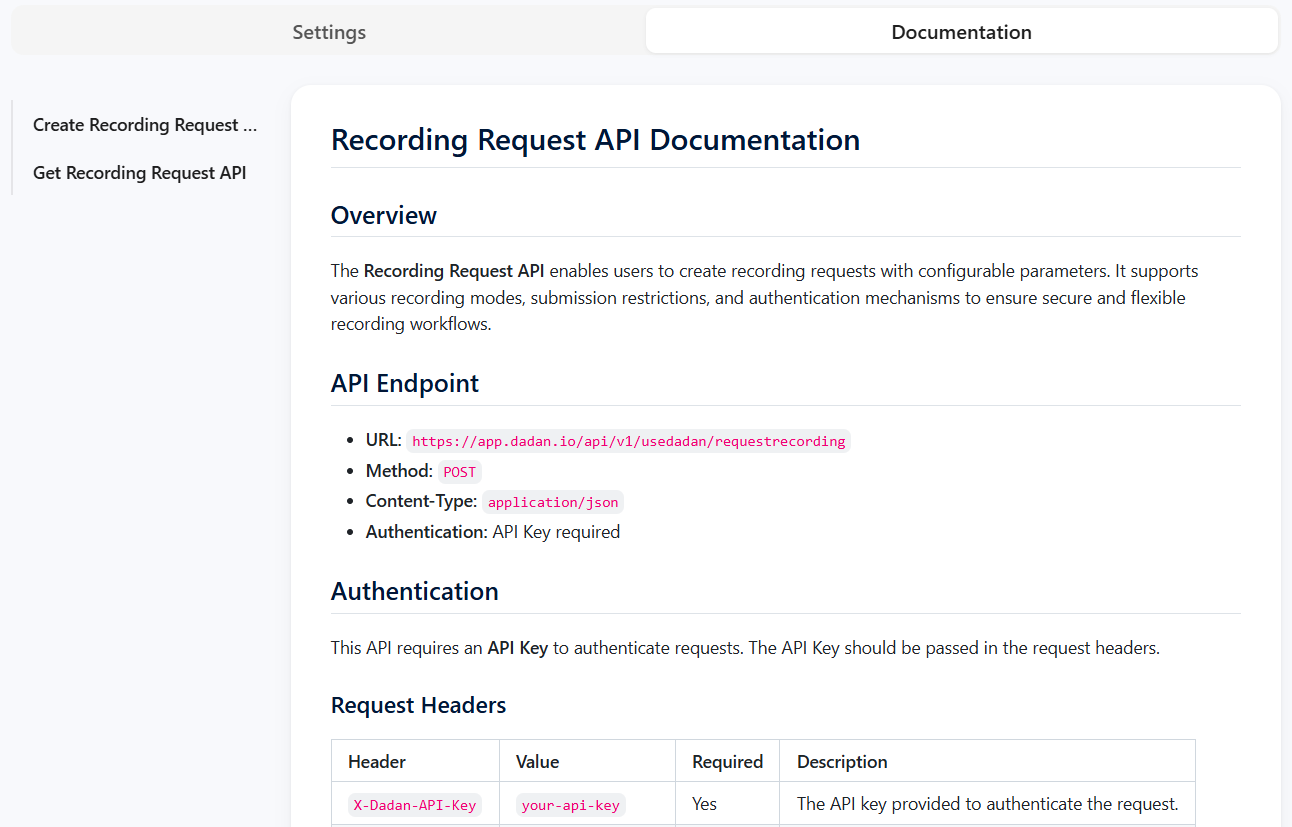
Here’s how to read it:
- Endpoint: The URL your app sends the request to.
- The base URL: usually something like https://api.dadan.video.
- Your API key (Authentication): generated from dadan Workspace Settings.
- Payload: The JSON body includes fields such as title, metadata, etc.
- Response: You get the unique recording link.
- Postman or a similar API tool: (or your preferred programming language).
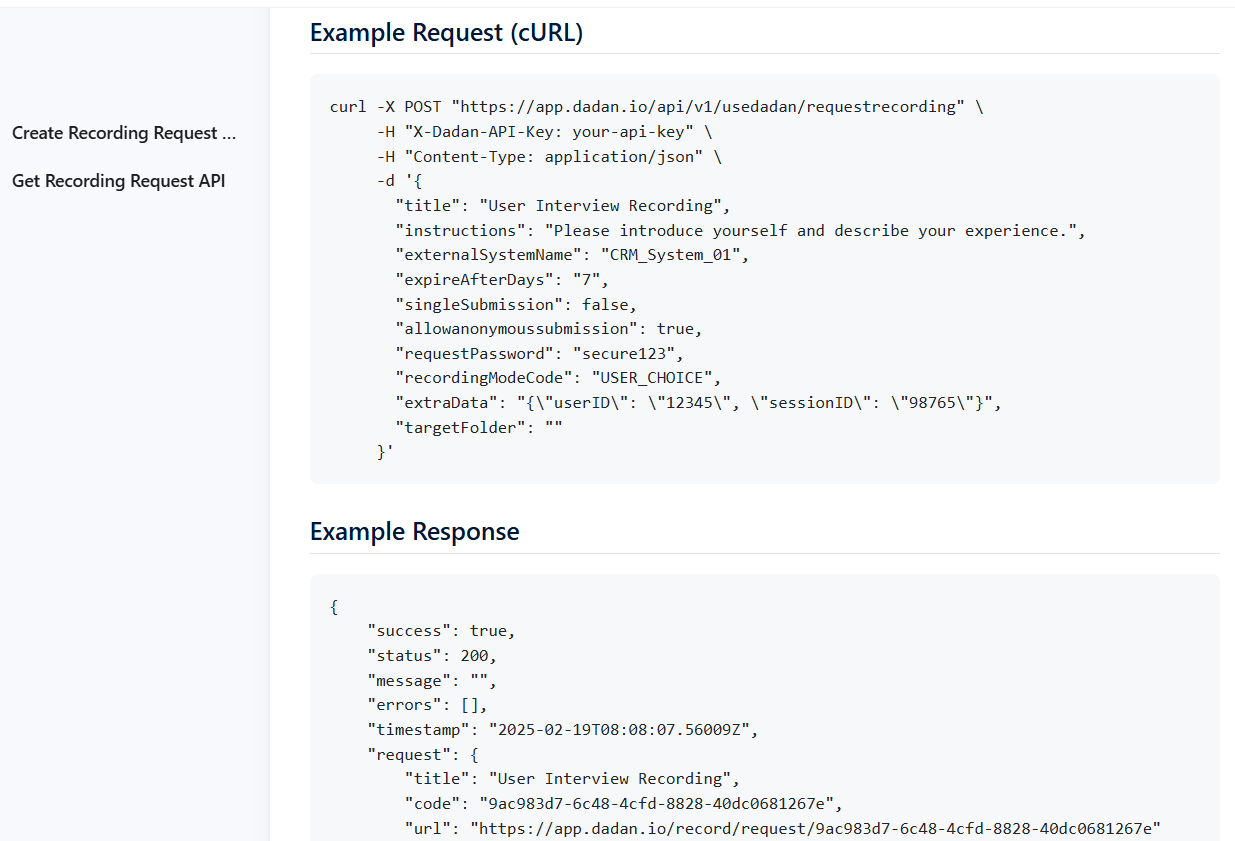
You can test it using tools like Postman before building it into your product.
Webhooks (optional, for advanced users) #
A webhook lets dadan notify your app when something happens, like when a video is submitted. You set a webhook URL in your integration settings.
- When the user completes the video, dadan sends a POST request to your webhook.
- You can use this to trigger follow-ups or update your database.
When to use the API vs. the app #
Both the dadan web app and the API let you request and manage video responses, but each has its sweet spot. This section helps you decide when to stick with the app and when to switch to the API.
When the web app is enough:
- You want to send a quick video request to one teammate.
- You’re organizing folders manually for a small project.
- You only need to use dadan occasionally.
When the API makes more sense:
- You need to send recording requests to 50+ users at once.
- You want to trigger recordings automatically based on external events (e.g., a new user joins your app).
- You’re integrating dadan into a product onboarding flow, hiring pipeline, or helpdesk system.
- You want to sync videos to another platform (e.g., Mailchimp, Notion, or Slack).
| Task or Goal | Use the Web App | Use the API |
|---|---|---|
| Send a few video requests manually | ✅ | — |
| Automate recording requests based on external events (e.g., user signup) | — | ✅ |
| Involve 50+ participants in a structured workflow | — | ✅ |
| Organize folders and videos with a visual interface | ✅ | — |
| Build a custom experience inside your product (e.g., onboarding) | — | ✅ |
| Manually follow up and sort videos one by one | ✅ | — |
| Automatically trigger workflows at scale | — | ✅ |
💡 Quick Tip: You don’t have to choose just one. Many teams use the web app for one-off tasks and the API for scalable processes. They work better together.
📘 Want to start using the API right now, even if you’re not a developer? Check out the simplified guide on how to use this API.


