
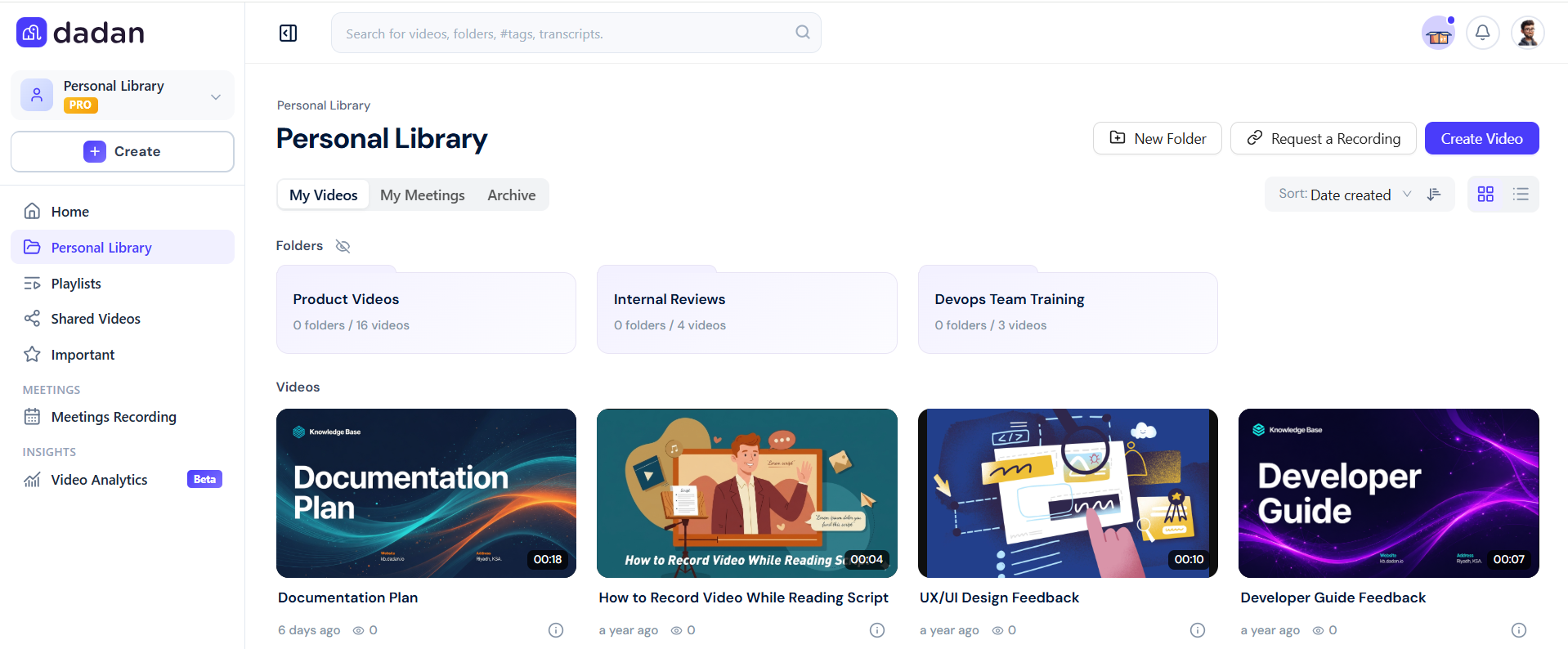
The Personal Library screen in dadan is your personal storage space for managing your recordings. Unlike shared Team Spaces, your Personal Library is accessible only to you, allowing you to organize, edit, and review your videos in a secure, dedicated space.
Key features #
The Personal Library screen has these features:
- Private storage: Your recordings are accessible only to you.
- Quick access: Instantly find recent and favorite videos.
- File and folder options: Rename, move, delete, and archive your recordings.
- Organized management: Categorize and sort videos for quick access.
How to use the Personal Library #
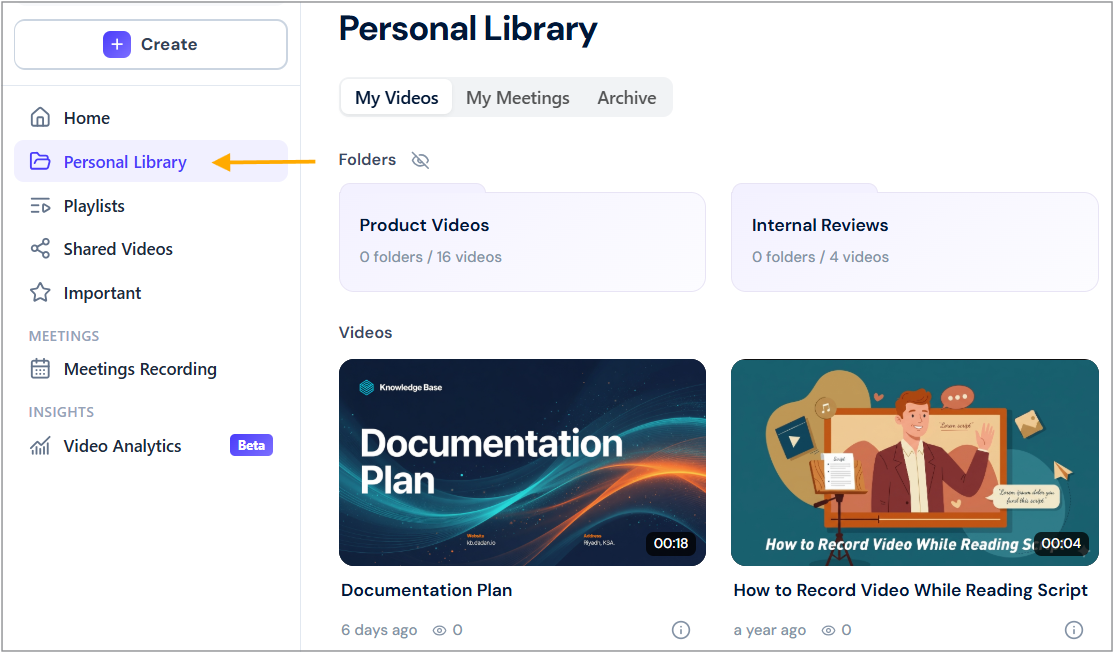
To access and use the Personal Library screen:
- Click on Personal Library on the left sidebar of dadan app home page.
- You will see a list of all your saved videos and folders.
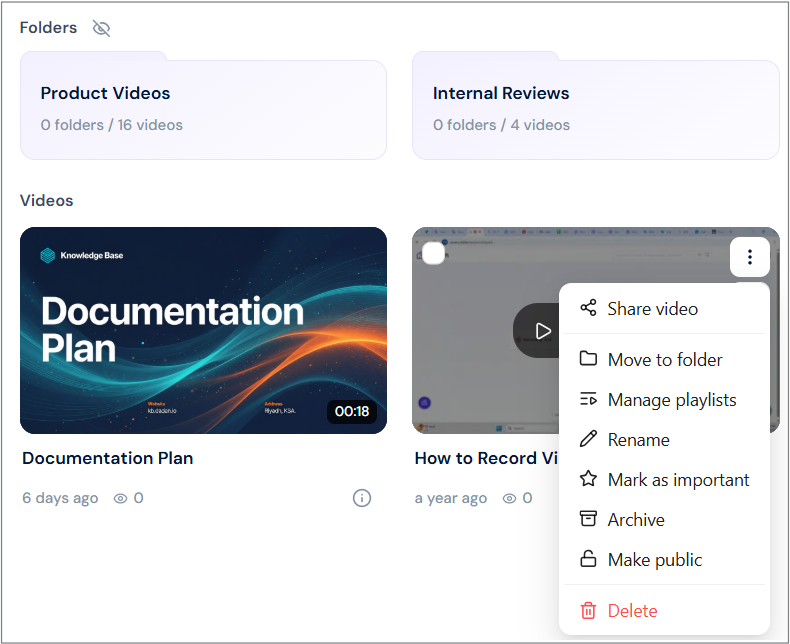
To manage your videos and folders:
- Move to a Team Space: Transfer a recording to a Team Space for collaboration.
- Rename an element: Change the name of any element for better organization.
- Delete an element: Permanently remove an unwanted element.
- Mark as important: Click the Star icon to highlight a key element for quick access.
- Organize with folders: Group related videos into folders for easy navigation.
- Sort your library: Arrange recordings by date, name, or favorites.
- Archive: Store elements in an archive instead of deleting them permanently.
- Notes:
- To keep your library organized, use Folders to group related videos and sort them by date, name, or favorites. Learn more about managing your folders and managing your videos.
- To edit a video, open the video and click Edit Video to trim, cut, or enhance it before sharing. See the editing a recording guide for details.
Personal Library vs. Team Spaces #
While the Personal Library is a private storage space, dadan Team Spaces are collaborative environments where team members can share and manage recordings.
- Here are the key differences:
| Feature | Personal Library | Team Spaces |
|---|---|---|
| Access | Only you | Shared with team members |
| Organization | Folders & sorting | Folders & sorting |
| Editing | Personal edits | Team access on edits |
| Sharing | Optional | Designed for teamwork |
If you need a private space for personal recordings, the Personal Library is ideal. For team collaboration, Team Spaces provides a shared environment to manage and edit recordings together.


