
Your dadan account profile contains your personal details and settings, allowing you to manage your identity within the platform.
Accessing your dadan account profile #
To access your dadan account profile, follow these steps:
- Open the dadan web app.
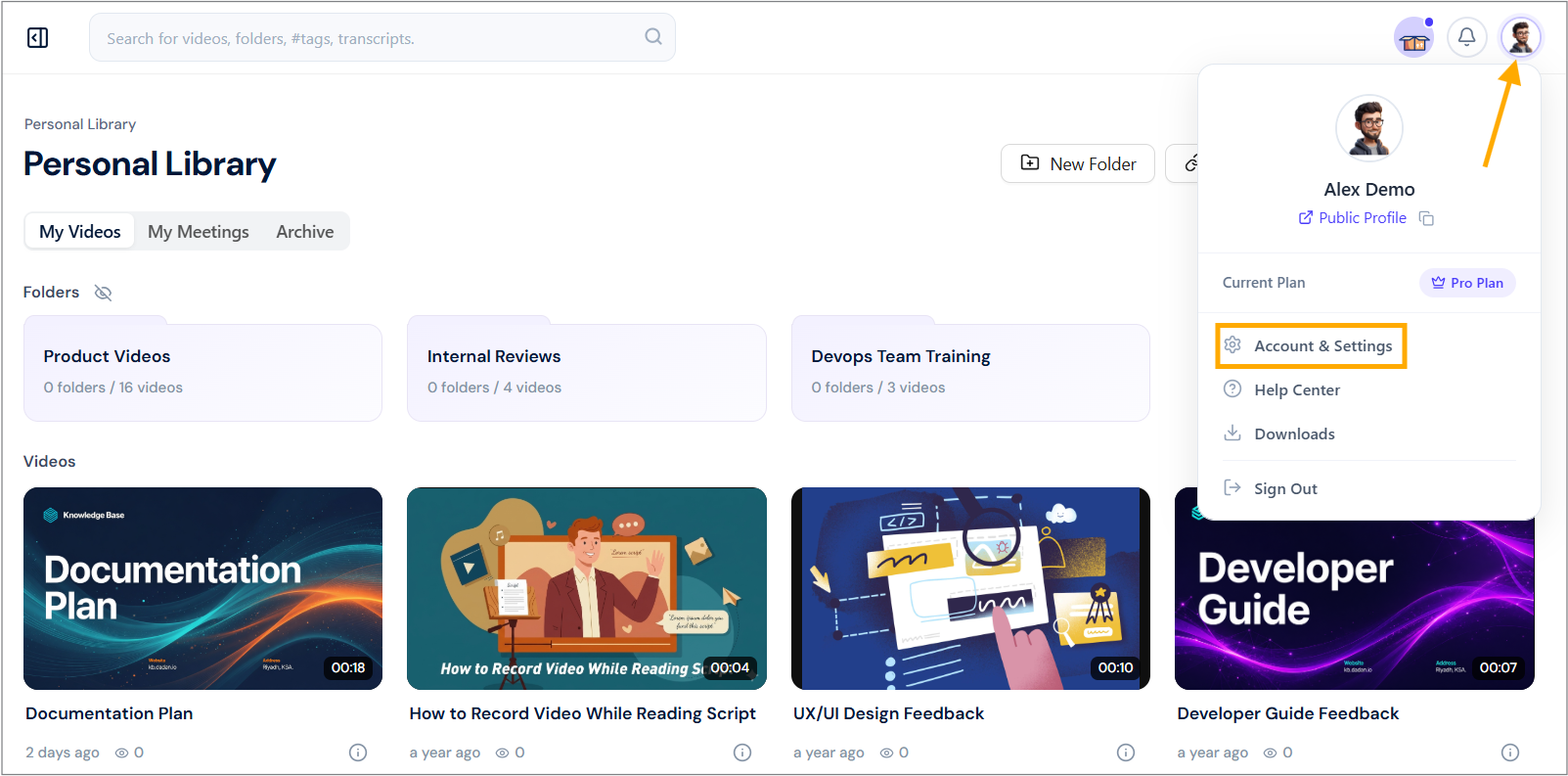
- Click on your Profile icon in the top-right corner.
- Select Account & Settings from the dropdown menu.
- In the My Account page, click the Profile section or the Edit Profile icon.
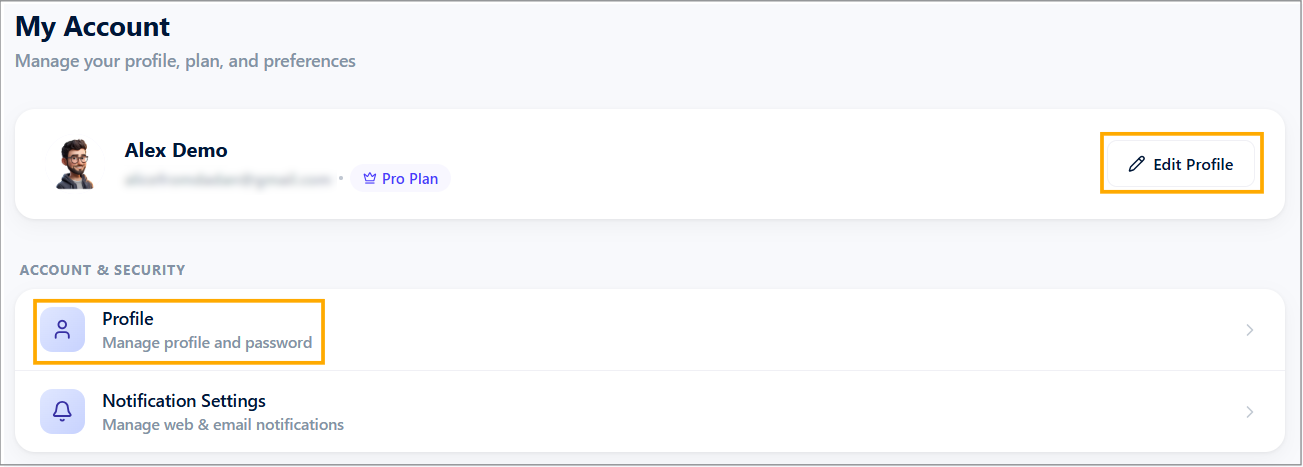
The Profile Settings page will open.
Updating your profile information #
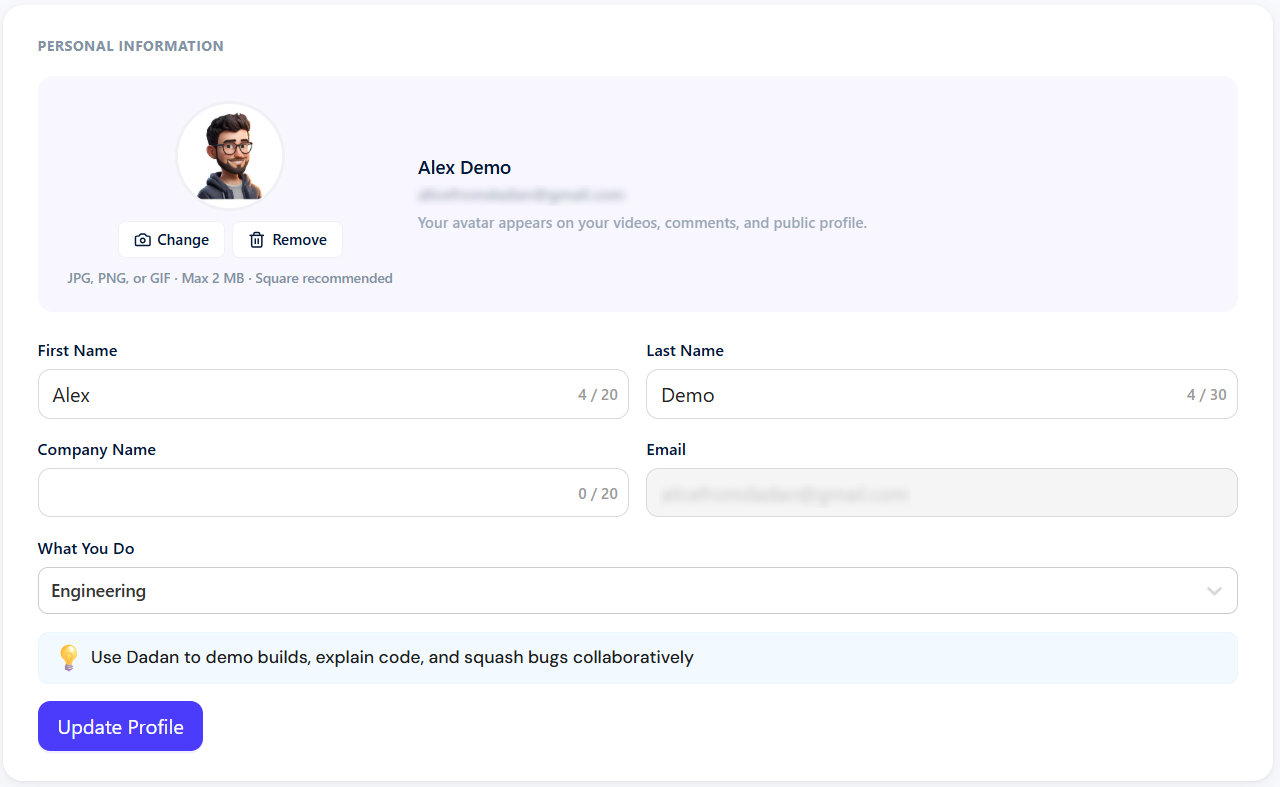
You can customize your account details in the Personal Settings section, including:
- First & Last Name: Modify your displayed name.
- Profile picture: Upload, change, or remove your profile image.
- Company Name: Your company (optional).
- What You do: Your profession (optional).
After finishing your edits, click Update Profile to save the changes.
Changing your password #
If you need to update your password, follow these steps:
- Click on the Generate or Change Password button.
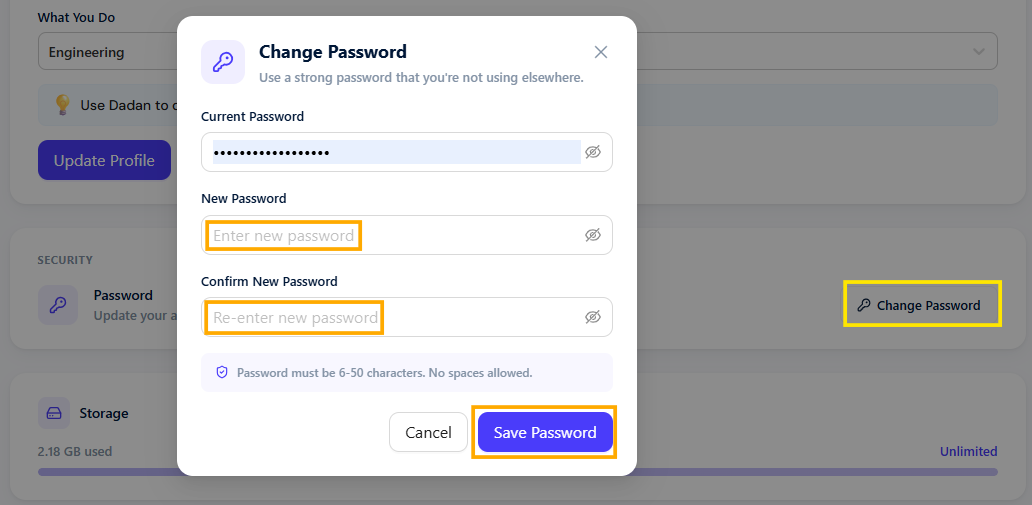
- Enter a new password in the provided field.
- Confirm your new password in the next field.
- Click Save Password to apply your new password.
See also: Public dadan account.


